Search the Community
Showing results for tags 'bug'.
-
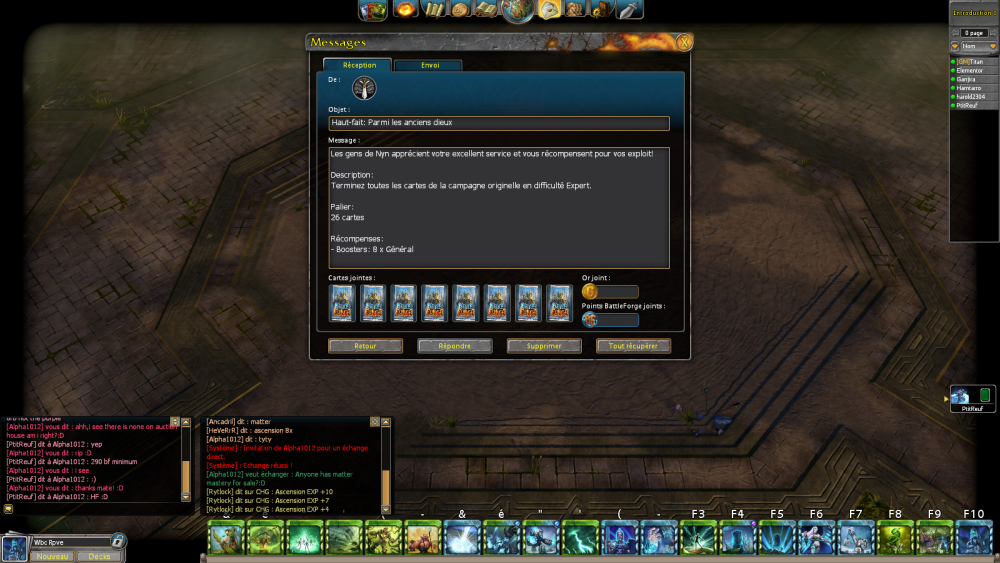
Hello Skylord Team, Hope you doing all good 🙂 I connected today to see exactly my achievement unlocked without beating everymap on expert, normally i still need 2 map to complete wich should be into the jungle and the giants, i know there was a bug for the christmas event since 2025, maybe it is related in some way? Anyway if you could just uncheck it for me so i could play the map normally to gain these 8 boosters 😄
-
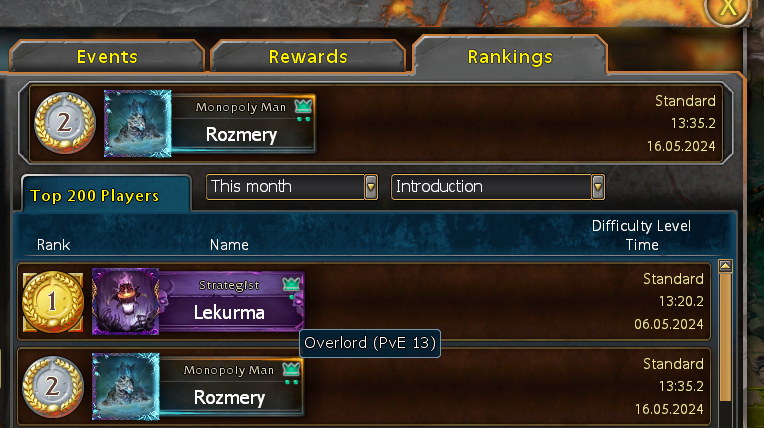
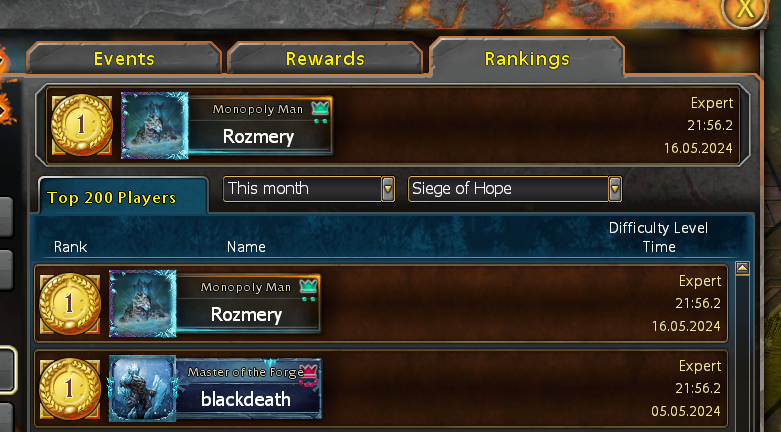
 Hello, I would like to report a bug I assume. Progress of achievements Harder, Better, Faster, Stronger and Master of the Forge is showing me that my highest ranking is rank 3 on KoTG. However I am 2nd on Introduction and 1st on Siege of Hope. Could you guys please fix the issue so my progress is not lost? Thank you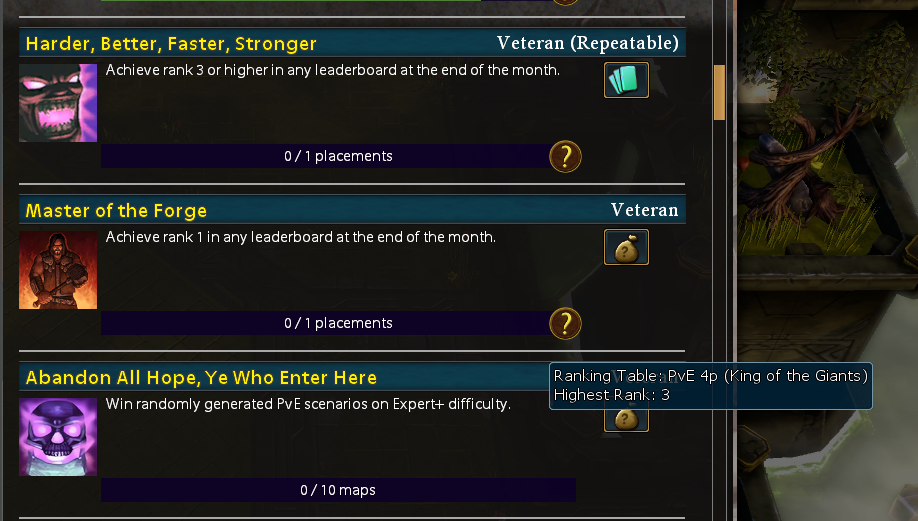
-
NAME: Mind Control Stonekin Grinder damage switcheroo DESCRIPTION: In the Campaign Map Bad Harvest 2nd difficulty, when you Mind Control a Stonekin Grinder top right map corner he still tanks damage for "now" enemy units. he doesnt tank damage for allied units. https://skylords-reborn.fandom.com/wiki/Mind_Control REPRODUCIBILITY: Always. Play position 3 as to get to the right side of the map. play until you are t4. stomp top right. Mind Control the Stonekin Grinder Unit. Watch him die because he still protects "now" enemy units. Even after seperating him and then joining vs other emey units he wasnt spawned arround he still tanks dmg from the wrong units. SCREENSHOT/VIDEO: - LOG: [This is really important. Attach/upload your log file! This provides us with the data we need to fix your problems. You can find your log in the Documents/BattleForge/Diag directory as _log_proxy_latest.log if you didn't restart your game yet, _log_proxy_0.log if you restarted your game once, _log_proxy_1.log if you restarted your game twice, and so on. If your game crashed, please also include the crashdata.mdmp.] ADDITIONAL INFORMATION: possible fix. do the same you did with the buffs now affacting mind controlled units. but for grinder, so he soaks dmg from player units instead of enemy npc units. After Mindcontrolling Stonekind Grinder he should stop soaking dmg from enemy units and start soaking dmg from allied units. ALTERNATE SOLUTION: make him not being able to be mind controlled 😄 _log_proxy_0.rar
-
Hello. Yesterday I started noticing significant lag spikes of varying duration and intensity, sometimes lasting a few seconds, sometimes more, sometimes leading to the game 'freezing', yet chat functions and menus still work. Twice this occurred during slave master expert (both which resulted in the game freezing or crashing), again in rPvE 9 (which did recover), and again in slave master expert today, though there was only 1 major spike at the 36 minute mark which lasted for around 10-15 seconds, but during which I had no control. After which the game went through at a rapid pace to catch up to actual time. While today has so far proven alot smoother ive only done one game so far. Ill attach the replay in case it might be of help. Ive only rediscovered this game from about a week ago and prior to these events have not experienced such incidents, so figured it might be a new issue. Enraged Enraged_Solo_Slavemaster_Expert 2.pmv
-
NAME: NO BRAKES ON THIS DAMAGE TRAIN, CHOO CHOO DESCRIPTION: Disintegrating stonekin units on Bad Harvest are not stopped from attacking if they are also being taunted [by Frenetic (P)] at the time it starts being disintegrated. REPRODUCIBILITY: @Donaar has been able to consistently reproduce it 2x in a row by using Frenetic on a group of enemies with a nearby Church of Negation. SCREENSHOT/VIDEO: https://cdn.discordapp.com/attachments/594960703417483277/1017516517778280519/disintegrate.webm ADDITIONAL INFORMATION: Other times this is reproducible is with mind controlling a Rageflame while it's attacking on Raven's End, but I don't have evidence of it on hand and it may be a separate issue.
-
 NAME: Bloodhorn(p) upgrade2(II) Stampede damage vs buildings too high when buffed with Tainted Enrage DESCRIPTION: Bloodhorn(p) upgrade2(II) Stampede damage = 9.000 Bloodhorn(p) upgrade2(II) Tainted Enrage = The unit will deal 100% more damage 9.000 = 100% x = 100% + 100% x = 200% 18.000 = 200% (am i rite or am i rite?) I am calculating this in this way based on the damage done to units. Normally 200(100%), when buffed 400(200%). Bloodhorn(p) upgrade2(II) Stampede vs 2x Comet Catcher(5.000 hp each) Bloodhorn(p) upgrade2(II) Stampede destroys one Comet Catcher(5.000hp) and one Comet Catcher survives with 1.000hp. A total of 9.000 damage has been done. Bloodhorn(p) upgrade2(II) Stampede with Tainted Enrage vs 6x Comet Catcher(5.000 hp each) What I expected, 3 Comet Catchers dead, one left with 2.000hp What happened, all died. How is 9.000 + 100%more damage greater than 30.000hp REPRODUCIBILITY: Always in the Forge. SCREENSHOT/VIDEO: LOG: [This is really important. Attach/upload your log file! This provides us with the data we need to fix your problems. You can find your log in the Documents/BattleForge/Diag directory as _log_proxy_latest.log if you didn't restart your game yet, _log_proxy_0.log if you restarted your game once, _log_proxy_1.log if you restarted your game twice, and so on. If your game crashed, please also include the crashdata.mdmp.] ADDITIONAL INFORMATION: -/- _log_proxy_latest.log
 -
NAME: Amii Paladins do not reflect Voidstorm damage DESCRIPTION: Voidstorm damage is not reflected to Units in 15m range using Amii Paladins active ability. Amii Paladins ability says "Activate to reflect incoming damage using the ancient magic of the unit's armor. For the next 10 seconds, Amii Paladins will take 100% less damage and distribute 100% of the incoming damage equally to hostile units in a 15m radius. This damage cannot be warded off with the help of damage reducing abilities because it is able to circumvent every buff or protective shield. Reusable every" I'd say Voidstorm is a form of incoming damage. Sure it cannot be prevented but Amii Paladins ability doesnt state it reflects prevented damage. It just reflects damage. REPRODUCIBILITY: Using the CommunityForge as a map cause you got easy access to instant 8k of energy up front. Build up Voidpower using any combination of wasting power. Spawn Amii Paladins. Activate Amii Paladins ability. Send the Amii Paladins near enemy-npcs. Activate Void Storm while Amii Paladins ability is up. Amii Paladins die, enemy npc does not take reflected damage from Voidstorm deliverd via Amii Paladins. SCREENSHOT/VIDEO: LOG: [This is really important. Attach/upload your log file! This provides us with the data we need to fix your problems. You can find your log in the Documents/BattleForge/Diag directory as _log_proxy_latest.log if you didn't restart your game yet, _log_proxy_0.log if you restarted your game once, _log_proxy_1.log if you restarted your game twice, and so on. If your game crashed, please also include the crashdata.mdmp.] ADDITIONAL INFORMATION: Since Voidstorm is damage Amii Paladins take, they should reflect it. I'm not saying they shouldnt die, they definitly should, but before dying dmg should be reflected according to ability. Or simply change the text to "Amii Paladins only reflect prevented damage" I added an addition underscore as the first letter of the logfile. I couldnt upload the load cause it was larger than the allowed filesize and i couldnt zip it cause it was in use by a program. __log_proxy_latest.7z
-
No Splash Unit Not Dealing Splash Damage if Target is Killed.
Weak1ings posted a topic in Client-Sided
I've realized an annoying bug; If a Grim Bahir or Skycatcher kills its target, it does no splash damage to nearby enemies. Is this documented? e.g. : Image, note that the living ice barrier should have 150 HP remaining as Skycatcher has siege. It appears that these units synchronously do damage and then splash while Wyrm or Lost Dragon simultaneously apply damage and splash. Quite an important bug! (edited)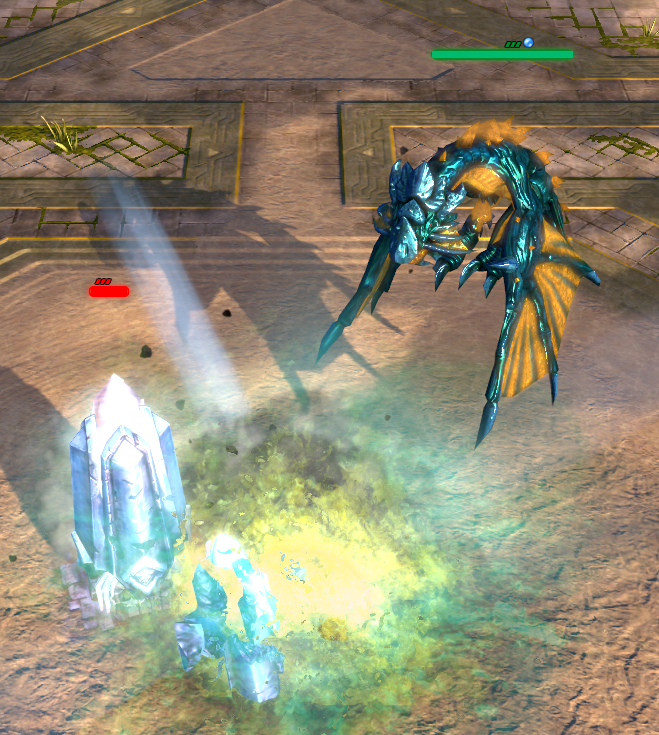
-
Hey guys! I enjoiyed your remake very much so far and you've done a pretty good job without EA. But i encountered random game freezes here and there. Sometimes it runs perfectly smooth with no issues. Today the game crashes every time after startup. Task Manager tags it as "no response" but the recources (CPU etc) are going up and down as usual. Also the Music keeps playing. Ending the task works but only via TM. Does the game maybe create crash reports to help you? Stay safe!
-
NAME: REPAIR VISUAL BUG DESCRIPTION: The bug happens when clicking on a friendly building that you do now own. as its taking damage it pops up the repair icon. which cannot be pressed REPRODUCIBILITY: ^ SCREENSHOT/VIDEO: see attached
.thumb.png.df60a4f527f17a8a88dcfc5fb7116c34.png)
-
-
NAME: Can not see new lobby, instead seeing the old lobby SEVERITY: 1 LOCATION: Forge/Lobby REPRODUCIBILITY: ALWAYS (or every second game. After restart, it works for the first game correctly) DESCRIPTION: How to reproduce: 1. Your friend invites you for a game 2. You start the game and leave game, but do not press "Done" at postgame statistics 3. You leave the group to watch the replay 4. Your friend creates a new lobby for another map while you watching the replay 5. Your friend invites you after watched the replay 6. You see now the old lobby with the old map. You are still on your old slot. ADDITIONAL INFORMATION: Sometime you can even see the lobby which you played before the last game. Some of the steps are maybe not necessary, will need to test more to know for sure.
-
NAME: Crash if player is in group, but does not take a slot SEVERITY: 2 LOCATION: Forge REPRODUCIBILITY: ALWAYS DESCRIPTION: How to reproduce this crash: You create a lobby with a friend. But you friend will not take a slot. You start the game without your friend. You leave the game. Your friend still can see the lobby and select a slot, even you already started the game and left it already. Once he took a slot, you crash. ADDITIONAL INFORMATION: I would suggest just to kick players out of the group, if they did not take a slot. It causes also other bugs, if a player stays in a group, but does not take a slot. Other player's who where playing the game will also crash (If you test it with 3 or more players)
-
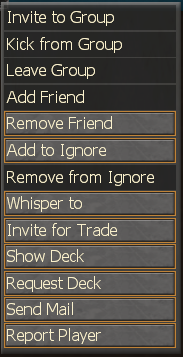
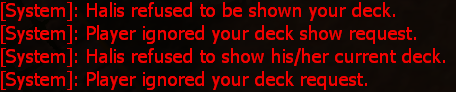
NAME: Not possible to invite friend after disconnect SEVERITY: 3 LOCATION: Forge REPRODUCIBILITY: ALWAYS DESCRIPTION: You invite a friend to group. Your friend disconnects or closes Battleforge before he can accept or decline your request. If he comes online again, you will be never able to invite him again, unless you restart/relog Battleforge. SCREENSHOT: ADDITIONAL INFORMATION: Very easy to reproduce with a friend. "Show Deck" and "Request Deck" work fine even after a disconnect, because there is an timeout, but you get weird messages:
-
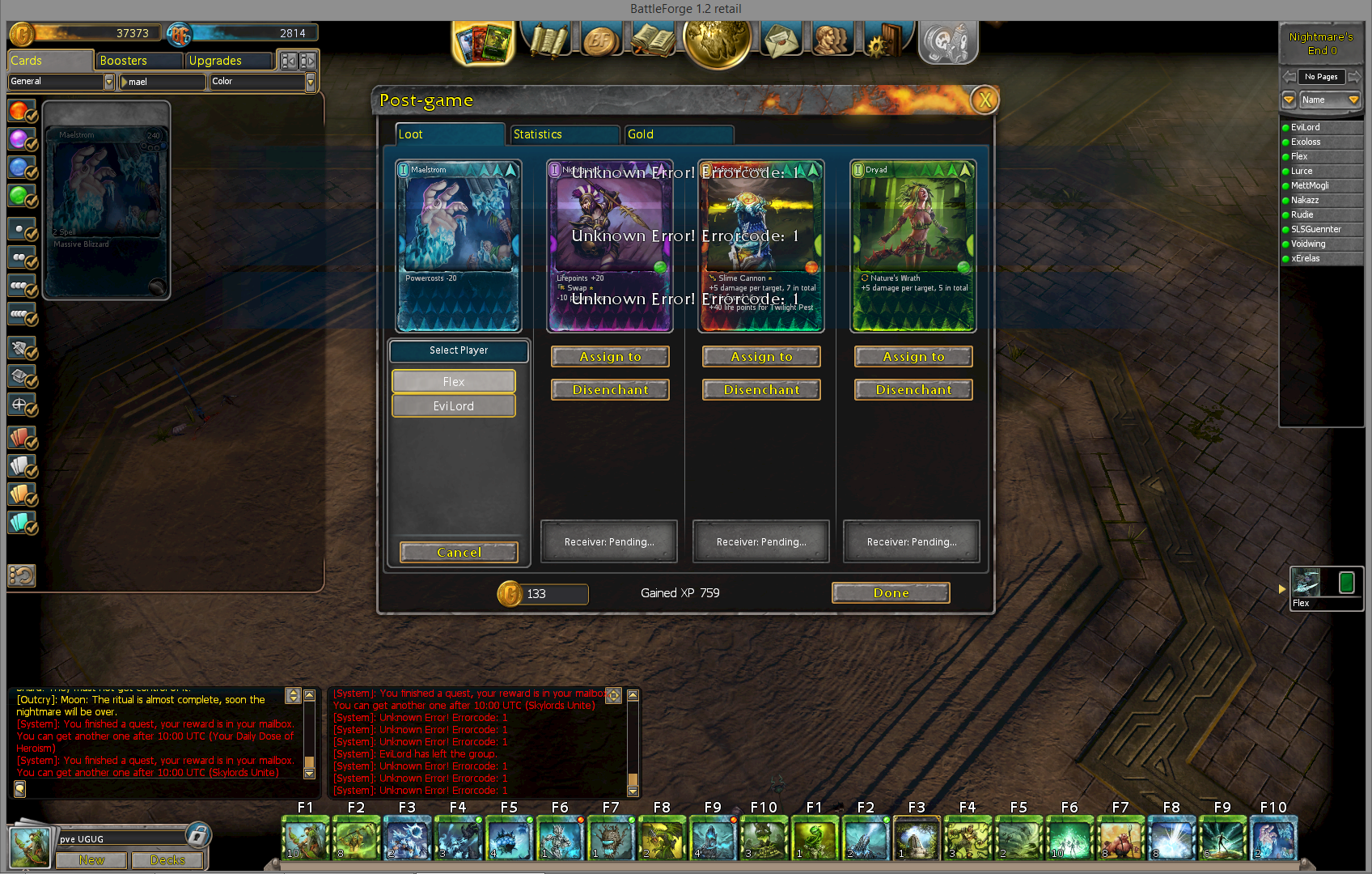
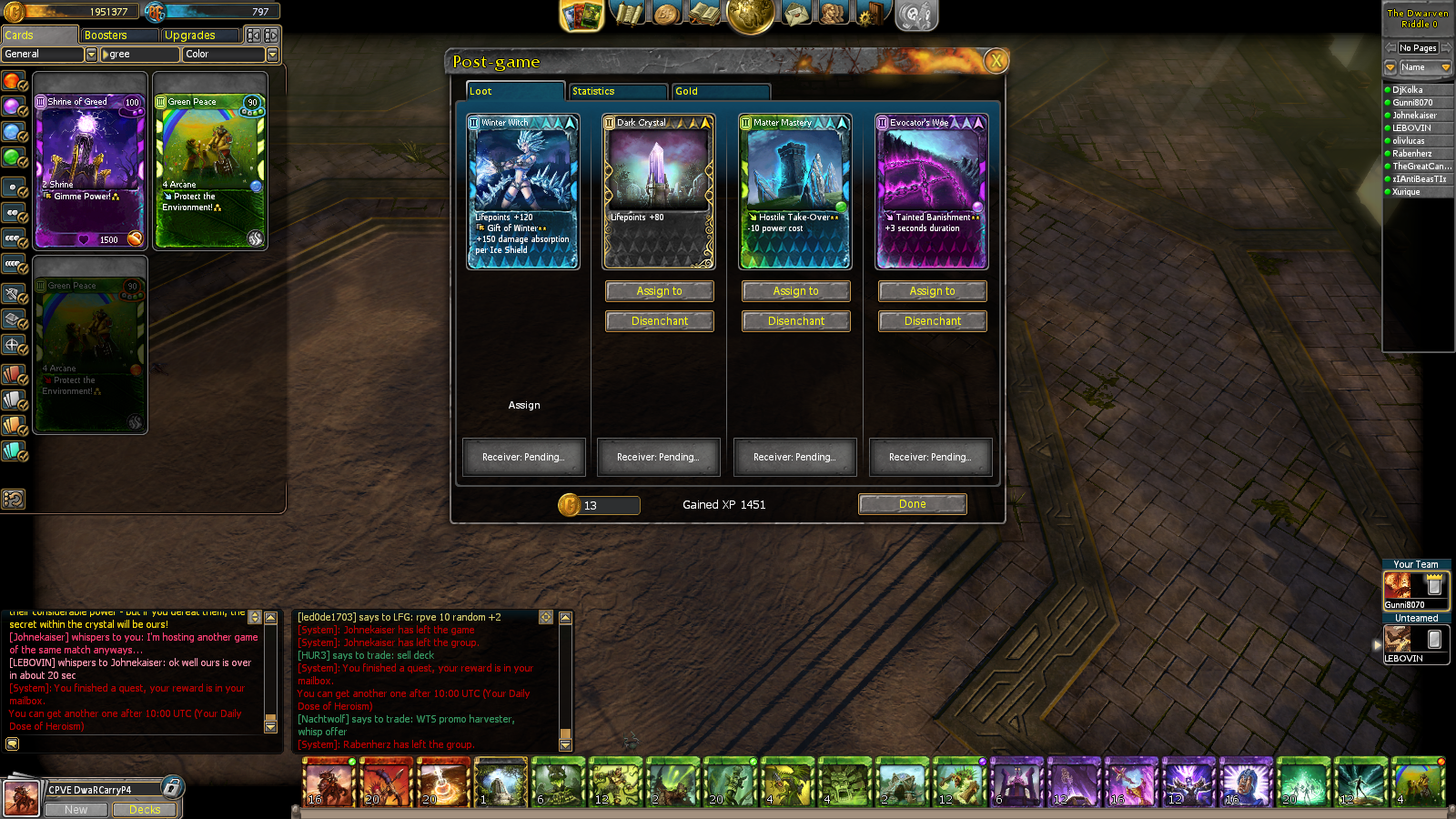
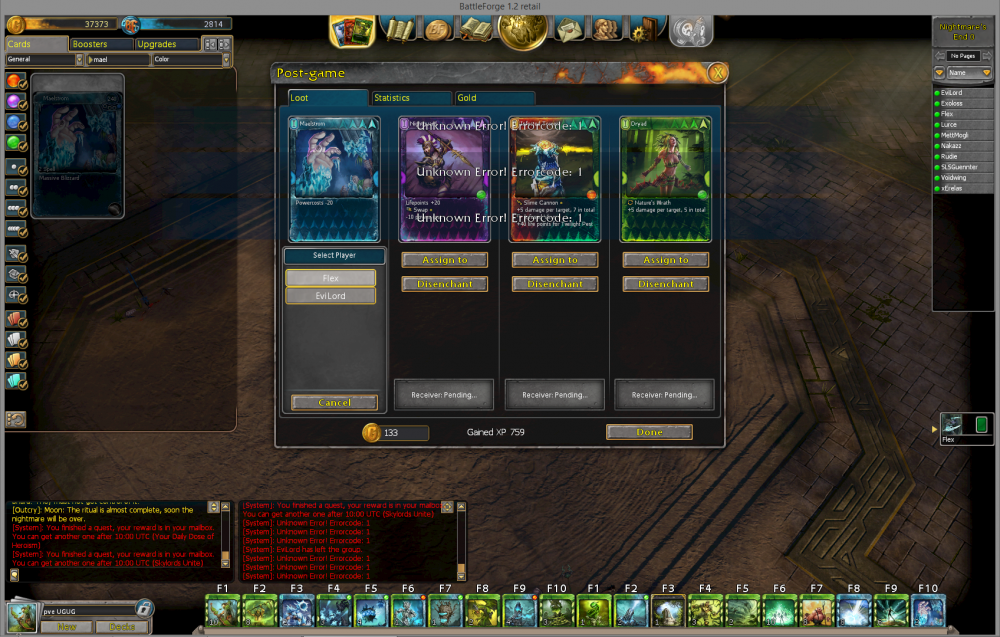
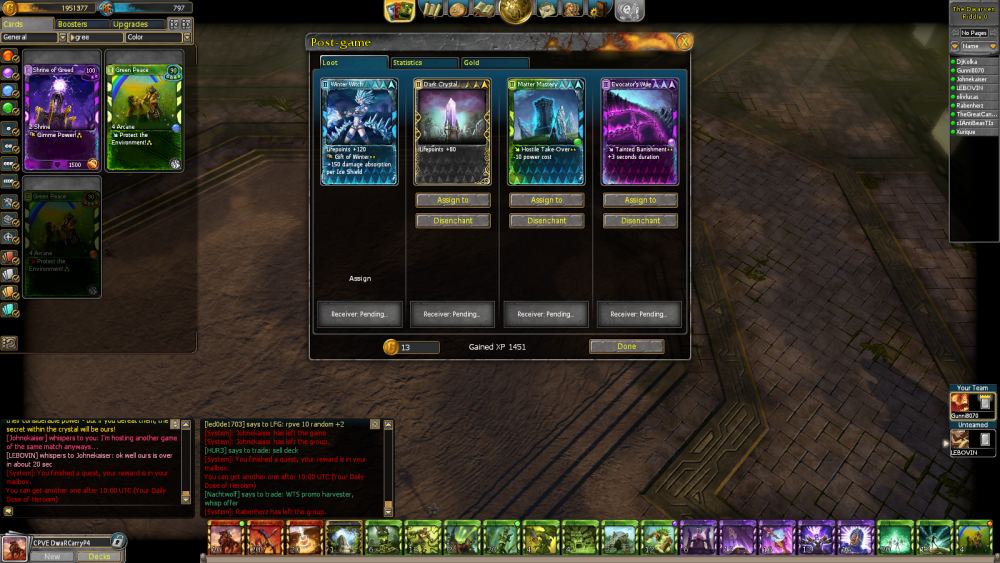
After playing a 2 player PvE game using the "Assign" loot distribution option, the party leader cannot assign any of the loot rewards to any of the player After re-logging, none of the upgrades where in my inventory and my gold amount did not change.
-
NAME: Lobby Bug 1 SEVERITY: 2 LOCATION: Forge REPRODUCIBILITY: Sometimes 10/10, sometimes 0/10. Could not firge out the reason DESCRIPTION: See below If you play a game (let's say Titans) and invite a friend and then wait for him to join your group and open create a lobby for Bad Harvest. He will see the old Titan lobby and not the Bad Harvest lobby. I am not sure if this always happens or only if your friend crashed before. You receive a System message "Player xxx is still in match, consider leaving the groupe first" Happened also on the testserver, but we could not reproduce it find the reason for it Another lobby bug: NAME: Lobby Bug 2 SEVERITY: 2 LOCATION: Forge REPRODUCIBILITY: 10/10 DESCRIPTION: See below. SCREENSHOT: See below I can not see my own lobby anymore, but RadicalX can still see it. I can see that he joins "Your Team", so the lobby is still active in the background somehow. This bug is reproduceable. We tested it a few time and got the same result. (Just one time, when I right-clicked my name, the game crashed, but that happend only once) Another lobby bug: NAME: Lobby Bug 3 SEVERITY: 2 LOCATION: Forge/End of a Game REPRODUCIBILITY: 10/10 DESCRIPTION: If you create a Lobby while the other players are still in the loading screen or in match, the same bug as above happens: the lobby is still active in the background, but you can not open it. Other people can also join the lobby, so the lobby is active in the background. The lobby creator will see the worldmap as in the video above and not the lobby. SCREENSHOT: See above ADDITIONAL INFORMATION: There was also a bug before the patches Sunday/Monday, when you created the lobby while other players of your group were still ingame. But you received a system message "Player xxx is still in match, consider leaving the groupe first" and you knew that player xxx will not see the lobby even after finishing the loading screen. Pressing back and creating a new lobby fixed the bug. I dont know, if this bug only occurs after a match or after logging in into the game. Will update information after testing on the testserver Another lobby bug: NAME: Lobby Bug 4 SEVERITY: 2 LOCATION: Forge/End of a PvP Game REPRODUCIBILITY: 100% DESCRIPTION: I reported this before here https://forum.skylords.eu/index.php?/topic/6014-3-battleforge-crash/, but it is not accessible anymore, so I report it here again. Create a PvP lobby. Play the match. After the match create a PvE Lobby. Result: you crash. ADDITIONAL INFORMATION: If you leave the group before you try to create a new lobby, you wont get a crash. If you play a community map you have a similar bug, but no crash.
-
 NAME: Card inventory change cause "A card of this type is in your deck" message posted 20 times. SEVERITY: 3 LOCATION: Forge, auction house, picking cards from email etc. REPRODUCIBILITY: ALWAYS DESCRIPTION: If I do something that impacts my inventory (I put a card on the auction house, when I open an email containing a card and such), I got this massive spam appear. SCREENSHOT/VIDEO: ss below ADDITIONAL INFORMATION: Annoying as f&@ and slows down dealing with auctions, selling etc.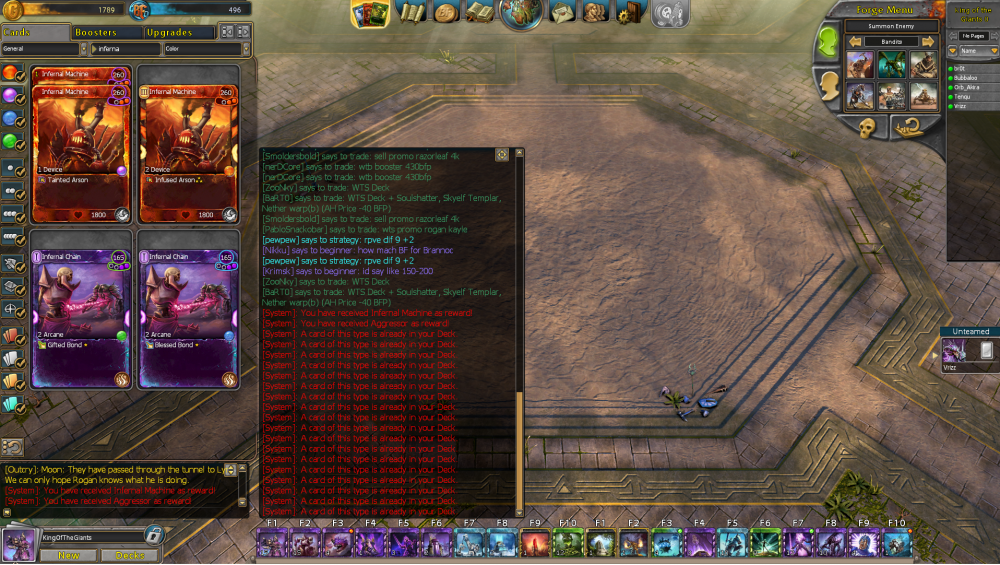
-
Name: Trade Skipping 5 second grace period. Severity: 3 Location: Trade Window Reproducibility: 4 out of the 4 times the scenario has allowed outside of testing the bug itself, I'll test it with a friend when I et the chance. Description: There's a scenario where a trade will skip giving a participant a 5 second grace period when the other hits accept trade. I'm assuming it's when both players hit accept trade at the same time. Screenshot: I'll supply one later tonight after more testing.
-
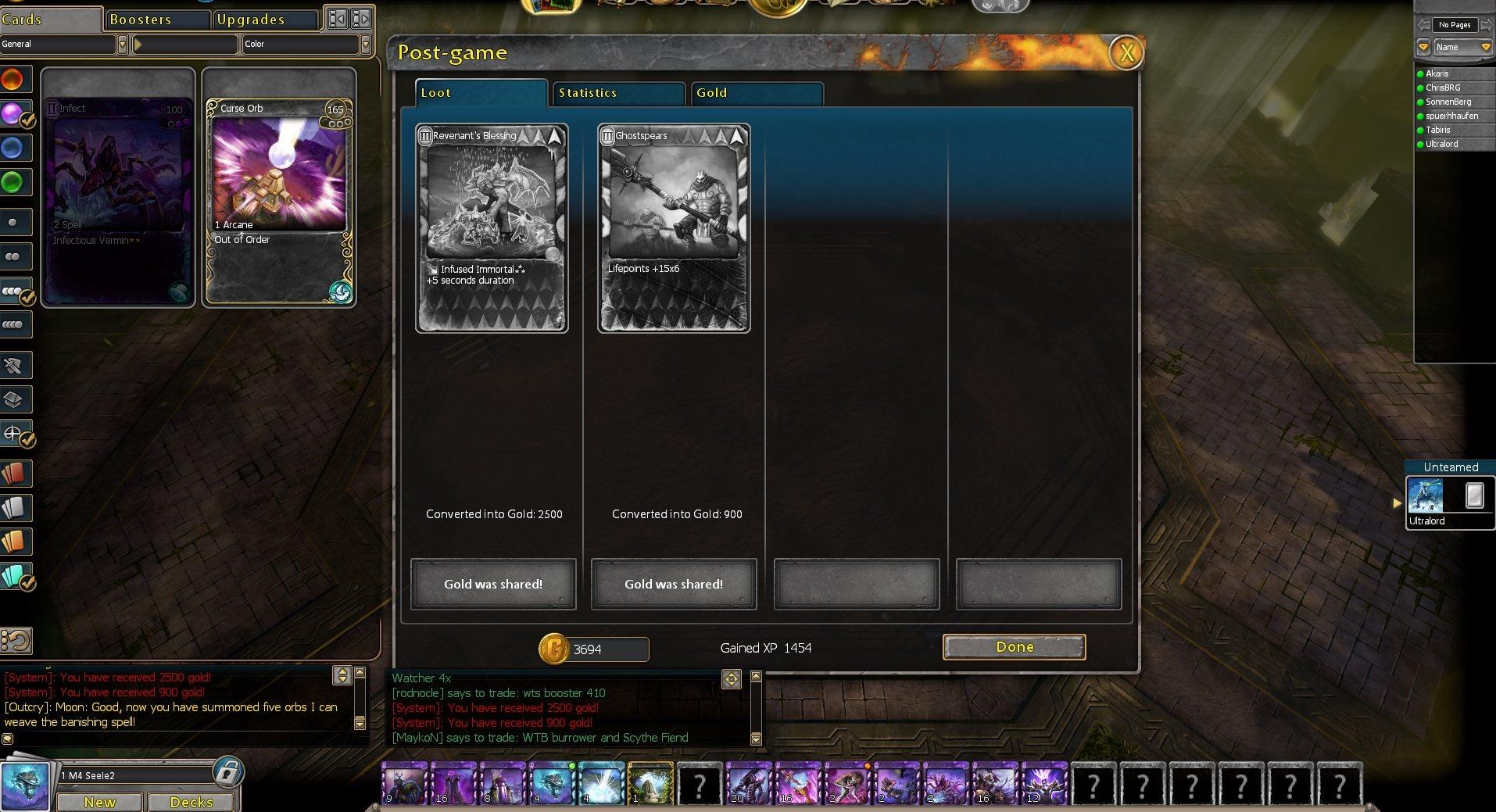
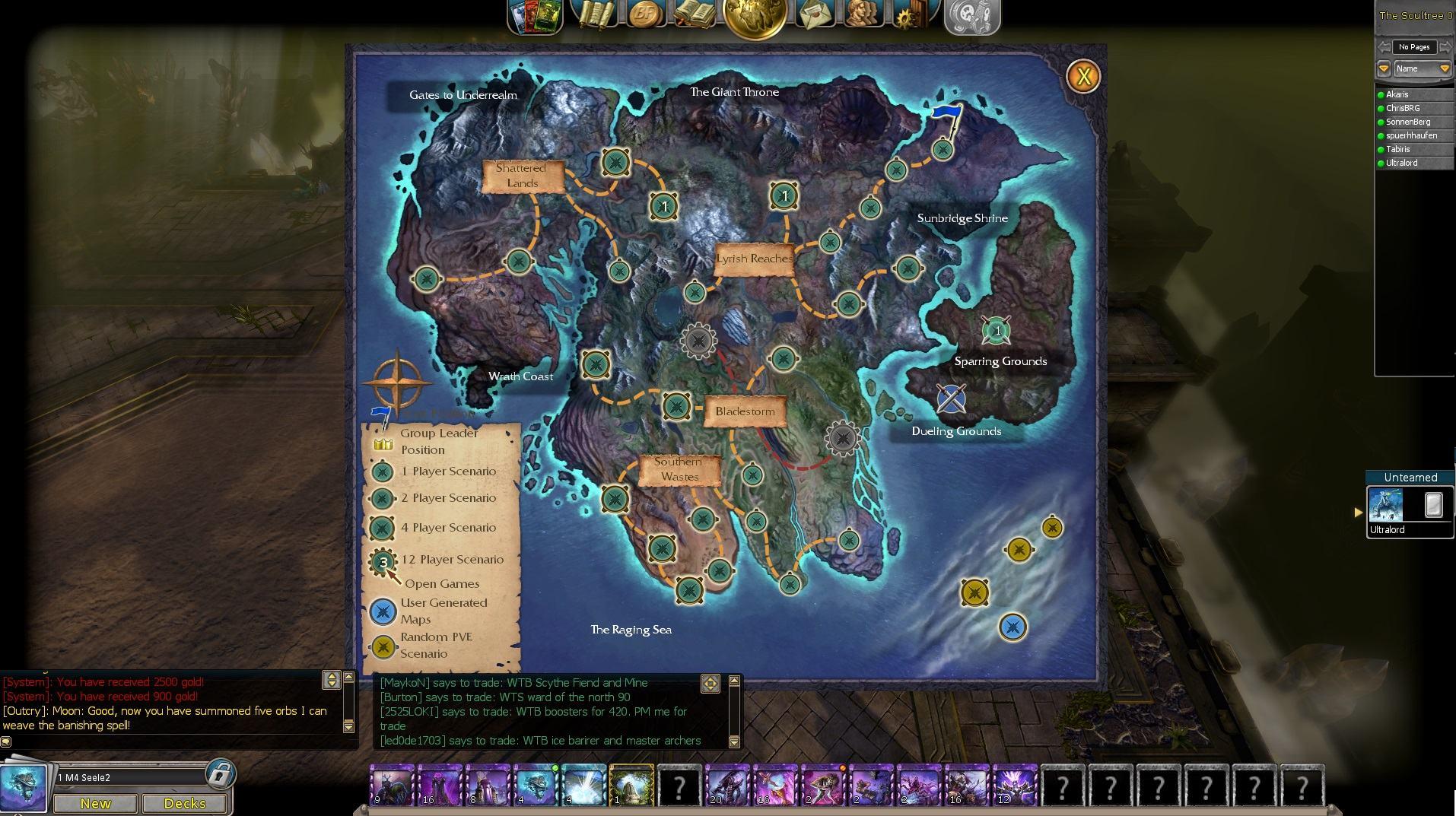
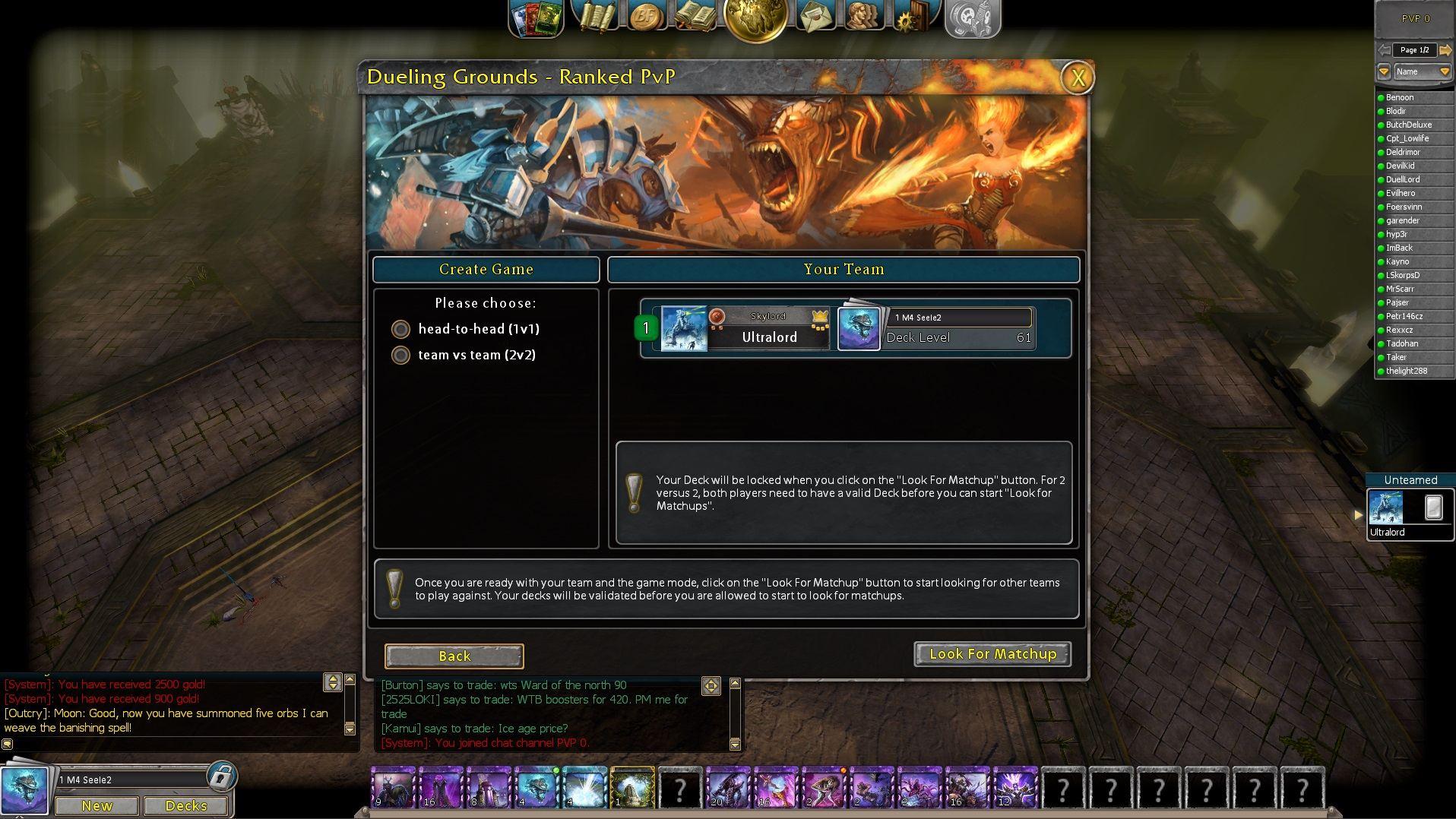
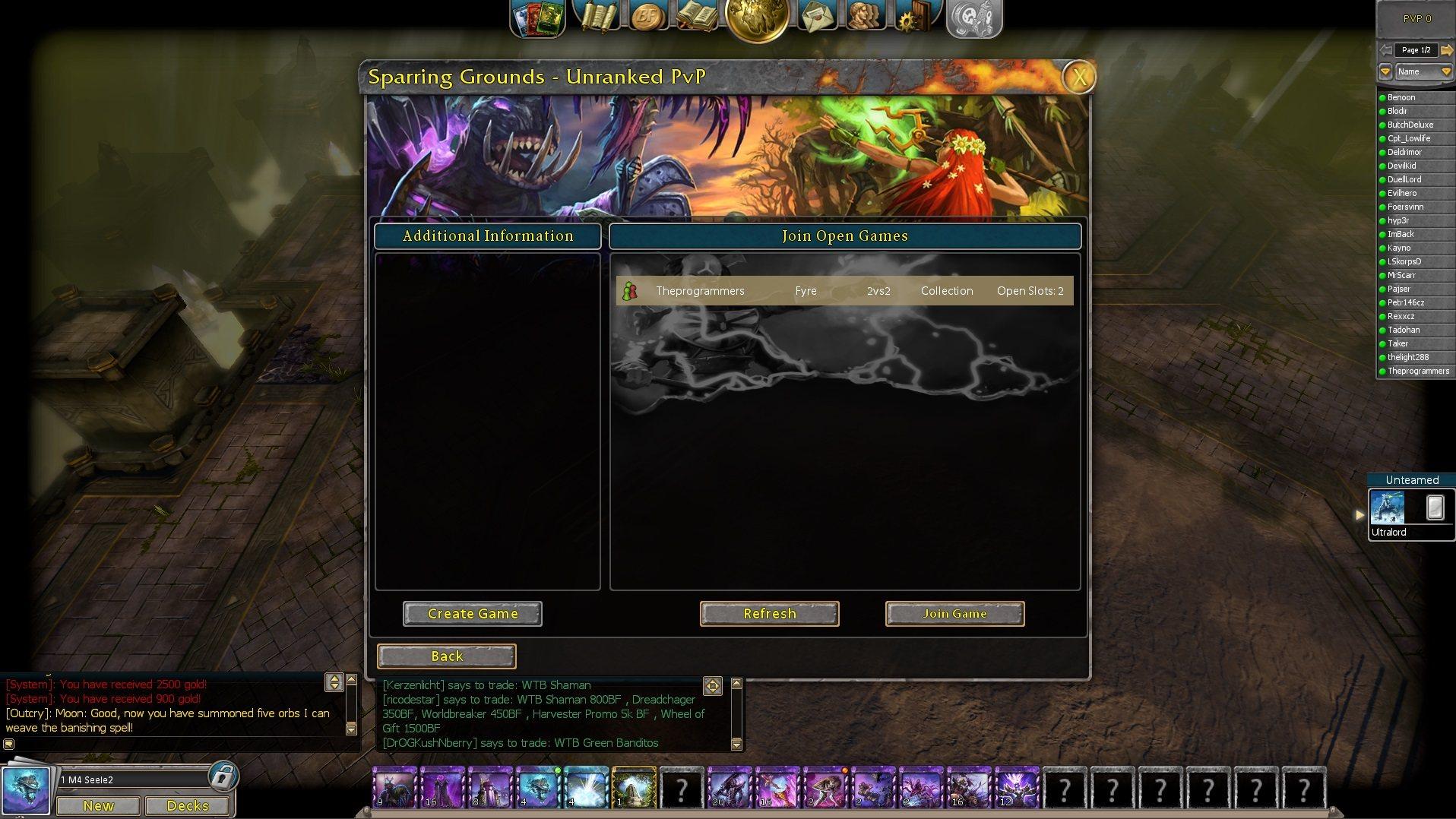
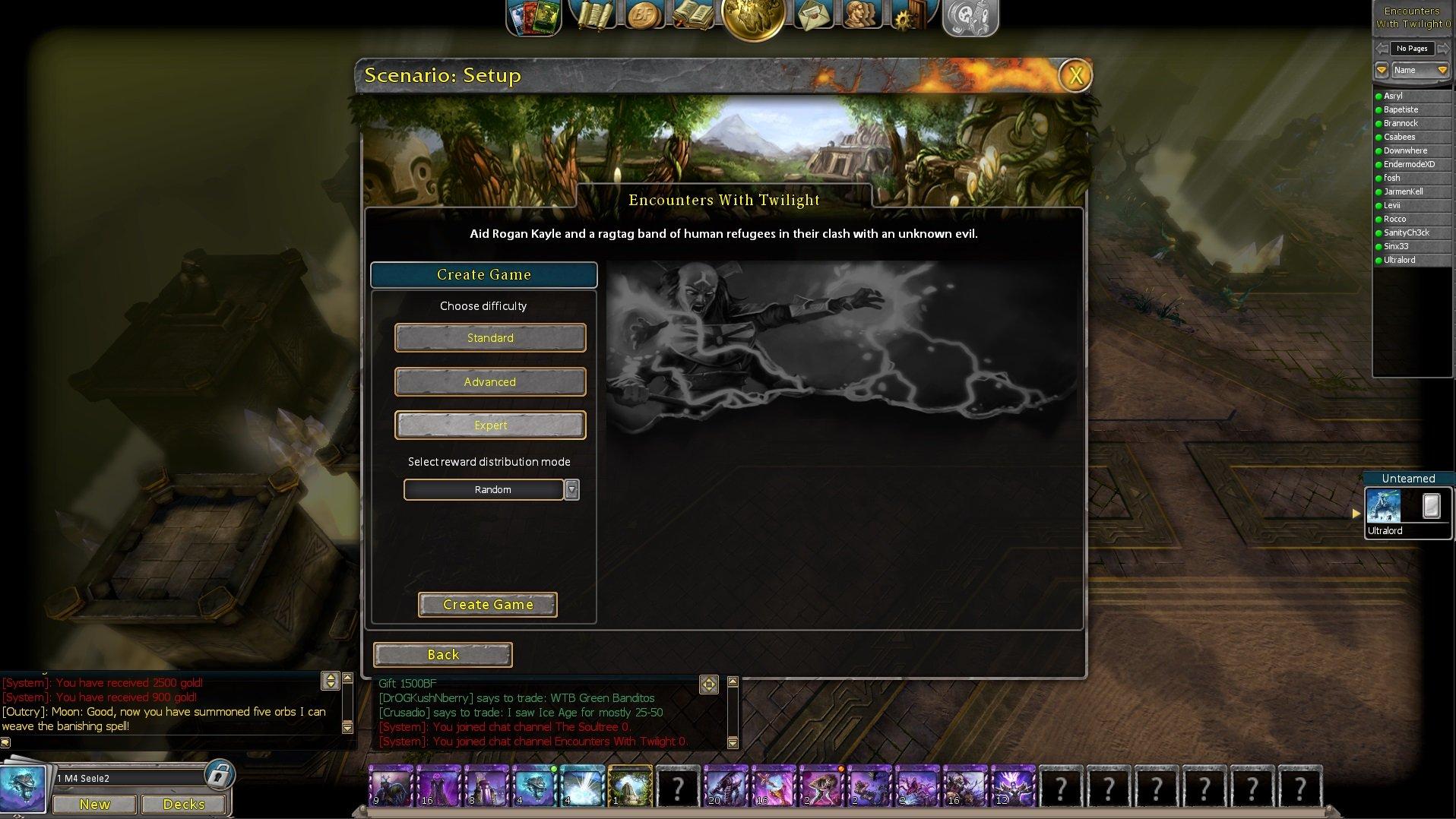
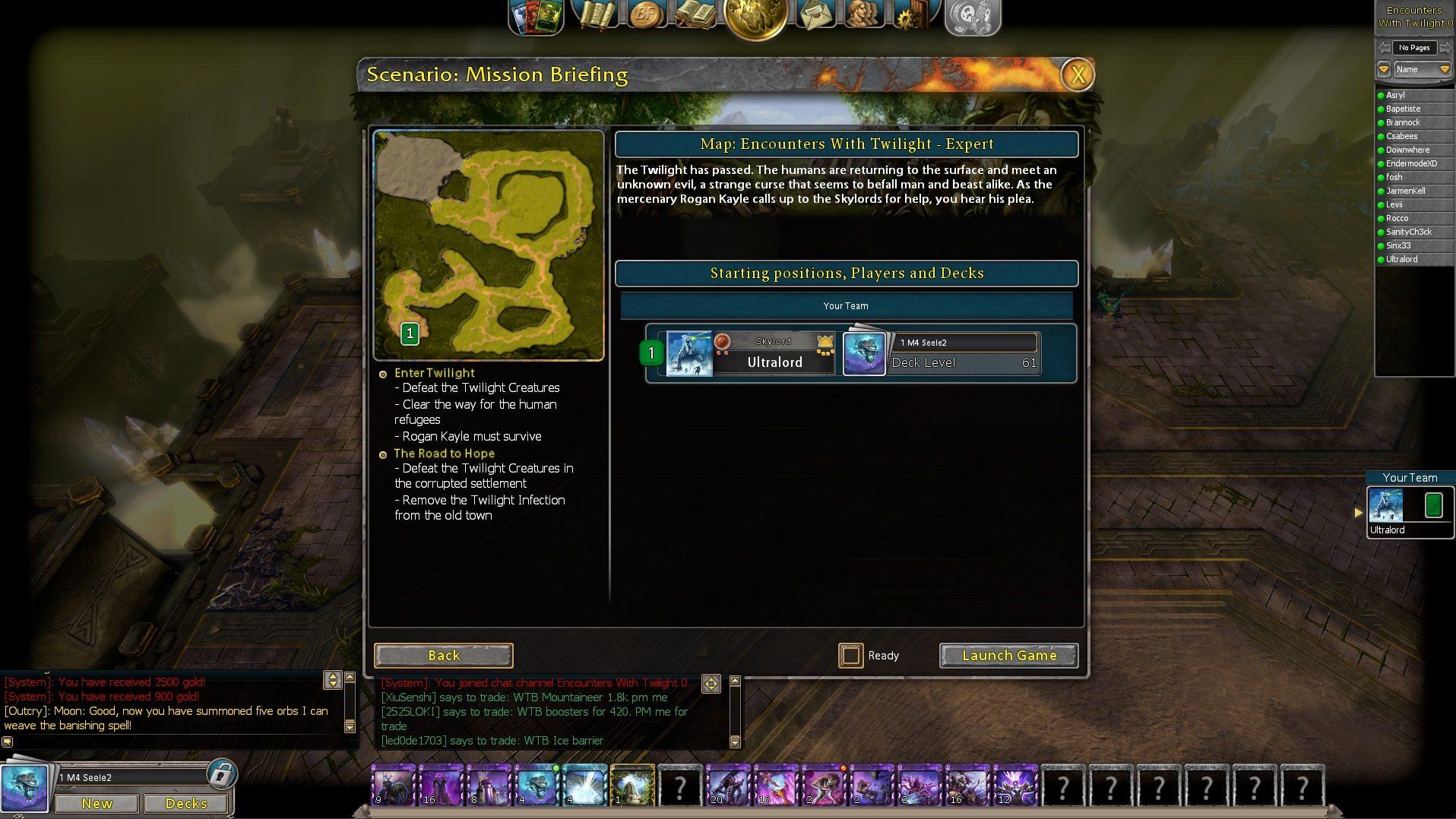
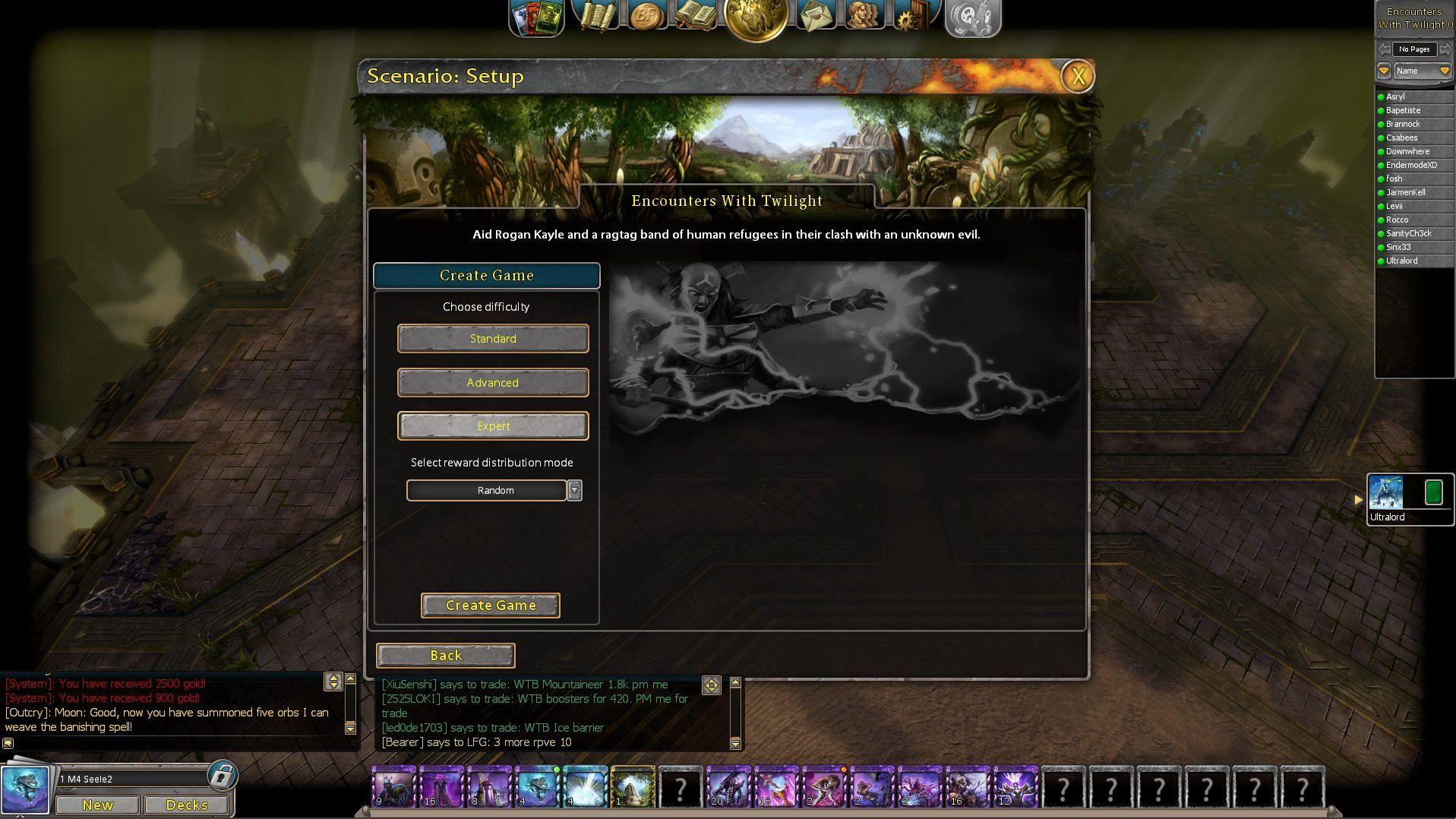
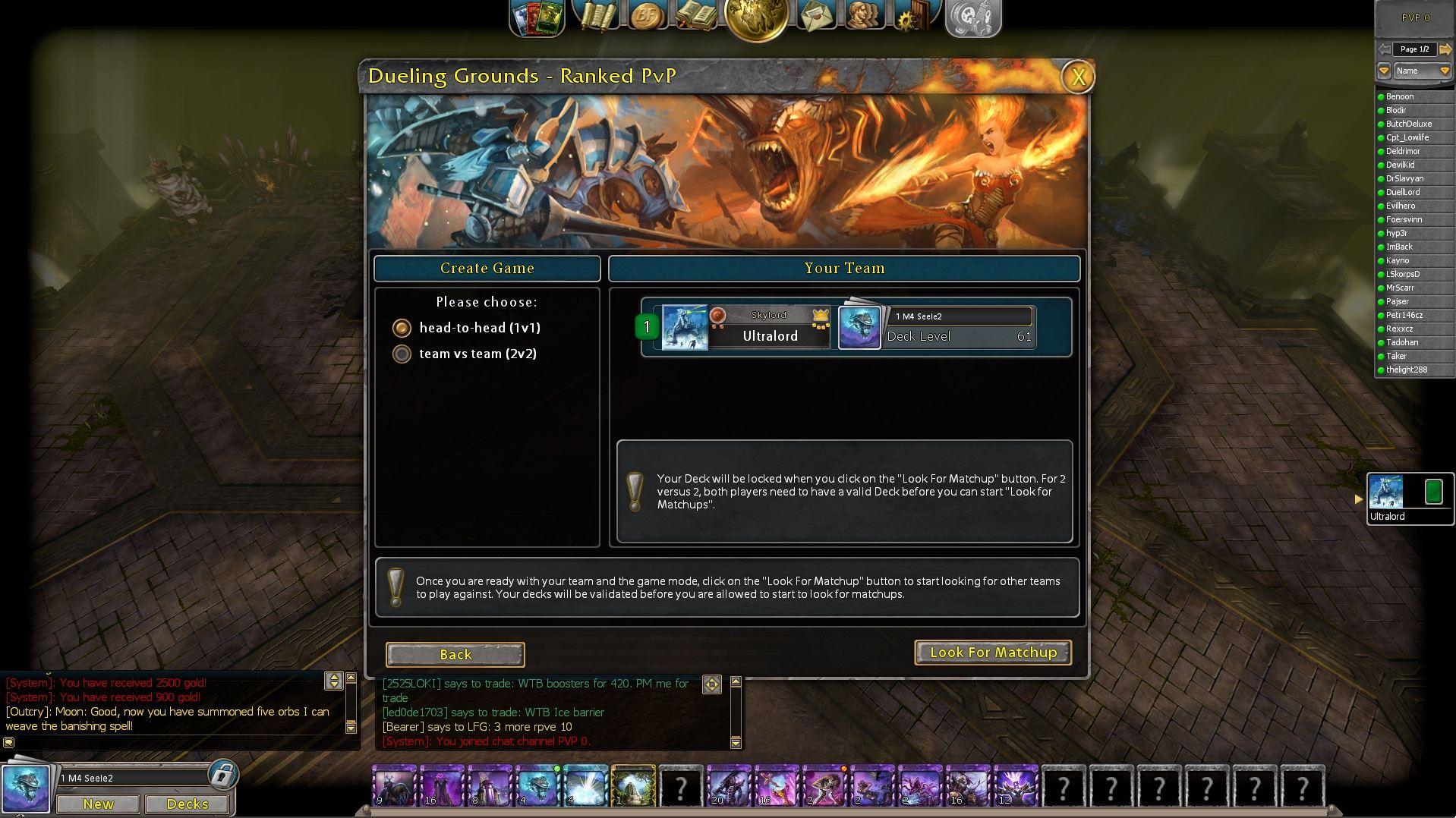
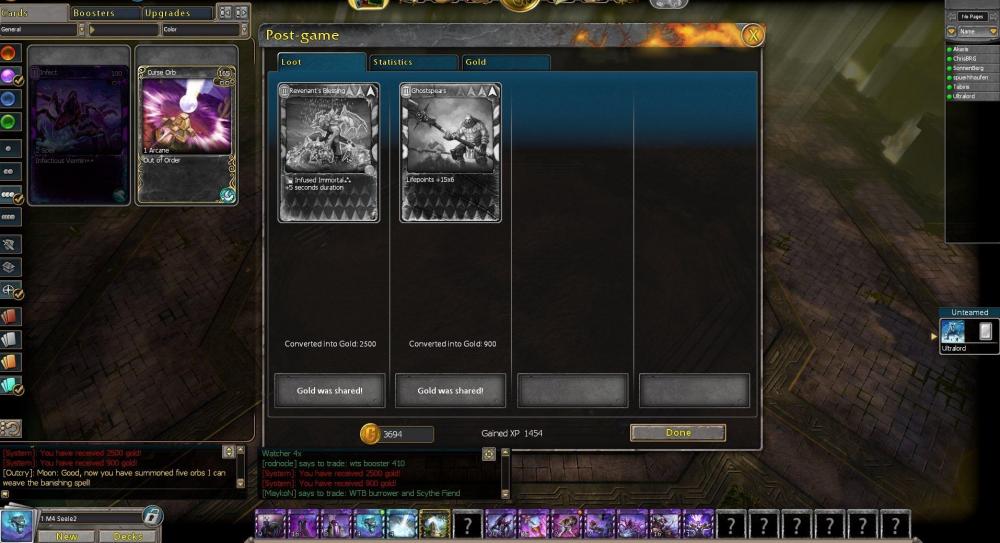
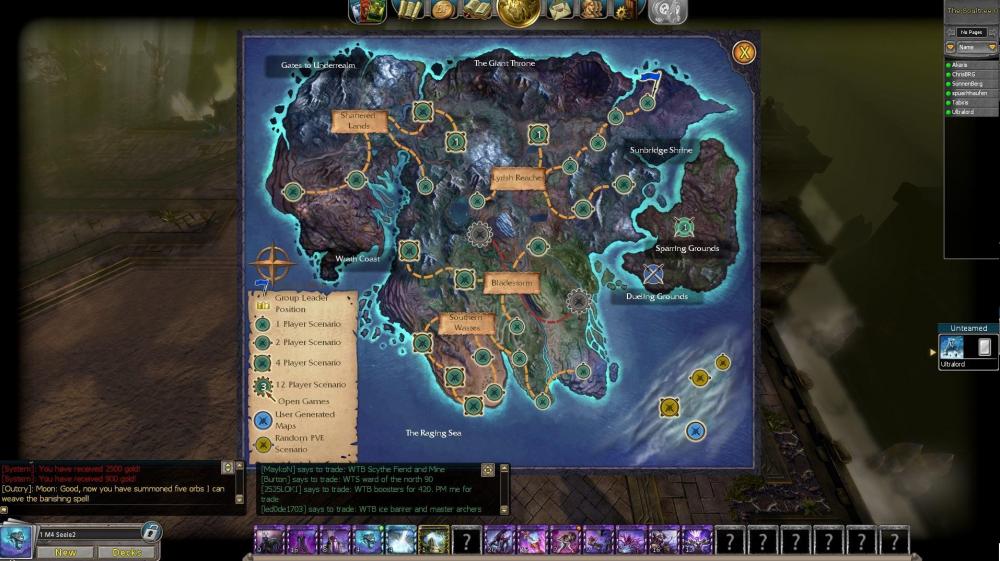
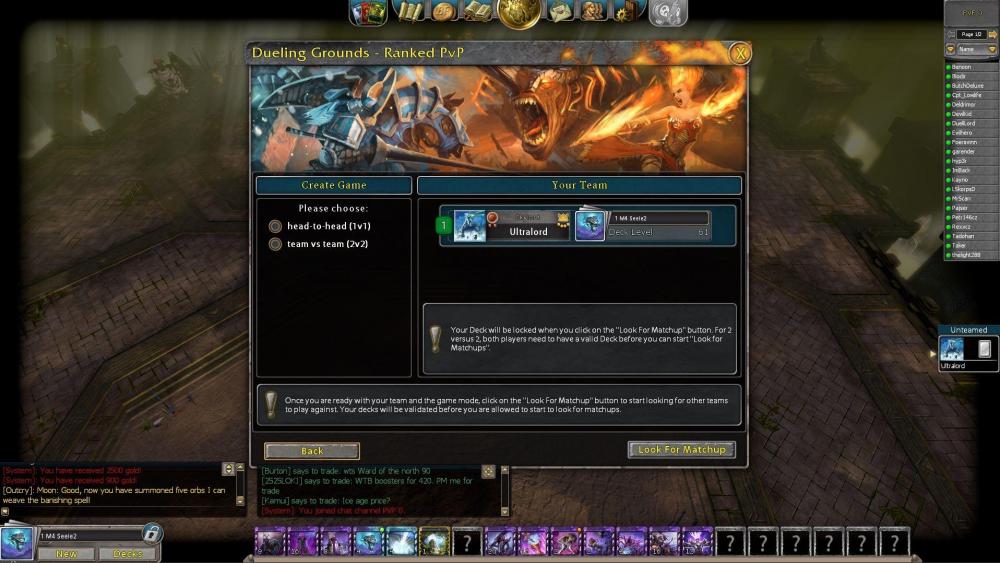
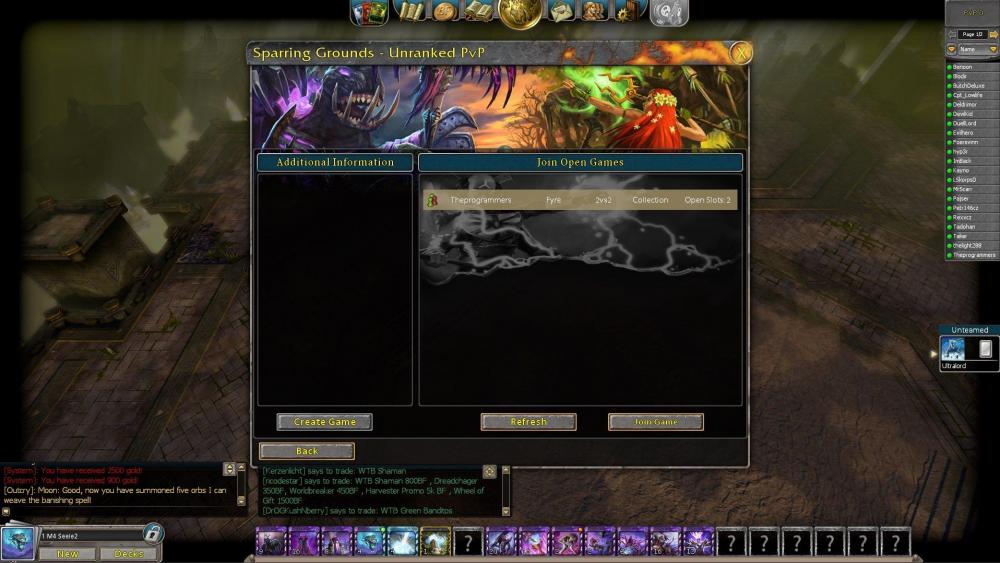
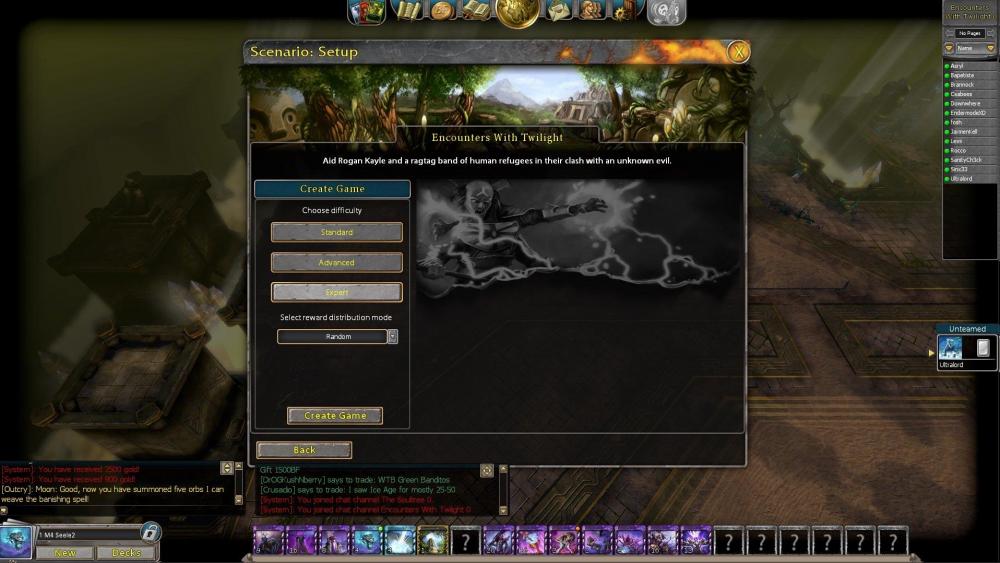
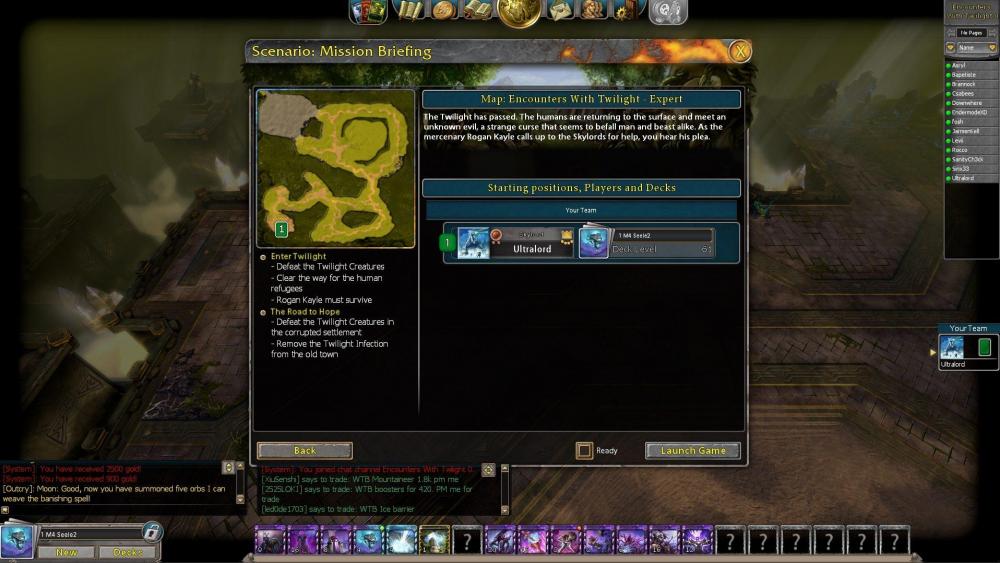
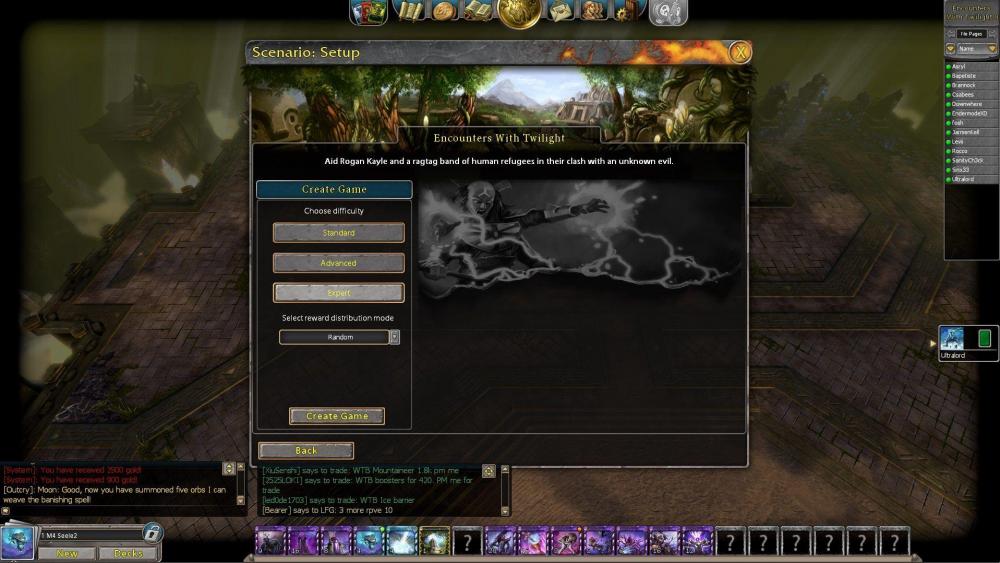
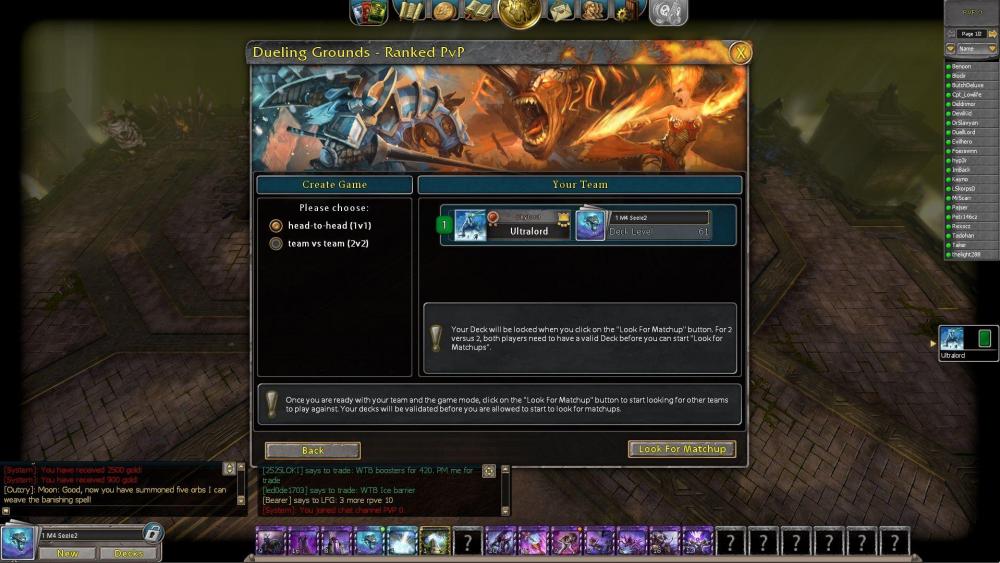
Name: No PVP game after PVE-1Player game // Unteamed in solo group Severity: 2 Location: after Playing PVE - Player Maps Reproducible: always Description: 1. After Playing a PVE Solo Map (in my case Soultree) I get my statistics. (Pic1) - I´m Currently “Unteamed” 2. I Press Done so I land on the Map (Pic2) - Still “Unteamed” 3. If I now try to play a ranked PVP or try to create a PVP match, it doesn’t work. (Pic3 + Pic4) 4. But creating a new PVE Match is Possible (Pic5) - Still “Unteamed” 5. After creating that game, I have the status “Your Team” (Pic6) 6. And after closing that game I´m back in the normal “no stat” which should be after pressing “done” (Pic7) 7. And now PVP works again (Pic 8) Additional Information: my guess is that after finishing the game, the group isn’t disband. In 2,4,12 play matches that makes sense, if you want to play the next round, but in case of an on player-group it’s a bit strange. What’s also strange, why can’t play PVP but PVE? if you need more infomation feel free to ask. MFG Ulrtralord (Discord: T1421)
-
Hello, I just wanted to report this bug: Me and other players can't see my pvp rank anymore. Actually I am lvl 18 and rank 40 - but even the golden badge is away. Maybe you guys can take a look at it, ty! :-)
-
NAME: Distributing rewards as non-host of the lobby SEVERITY: Low 3 LOCATION: post-game screen REPRODUCIBILITY: untested DESCRIPTION: After the game I had to assign rewards to players, even tho I was not the leader of the group, nor did I create the game. I player left during the game, which might has caused the bug.
-
So IDK what causes it, but sometimes I'll try to write /group or similar specific chats the server will send me a an error message telling me I'm not in that kind of chat (when I obviously am). I get out of it either by leaving a group or resetting the client.
-
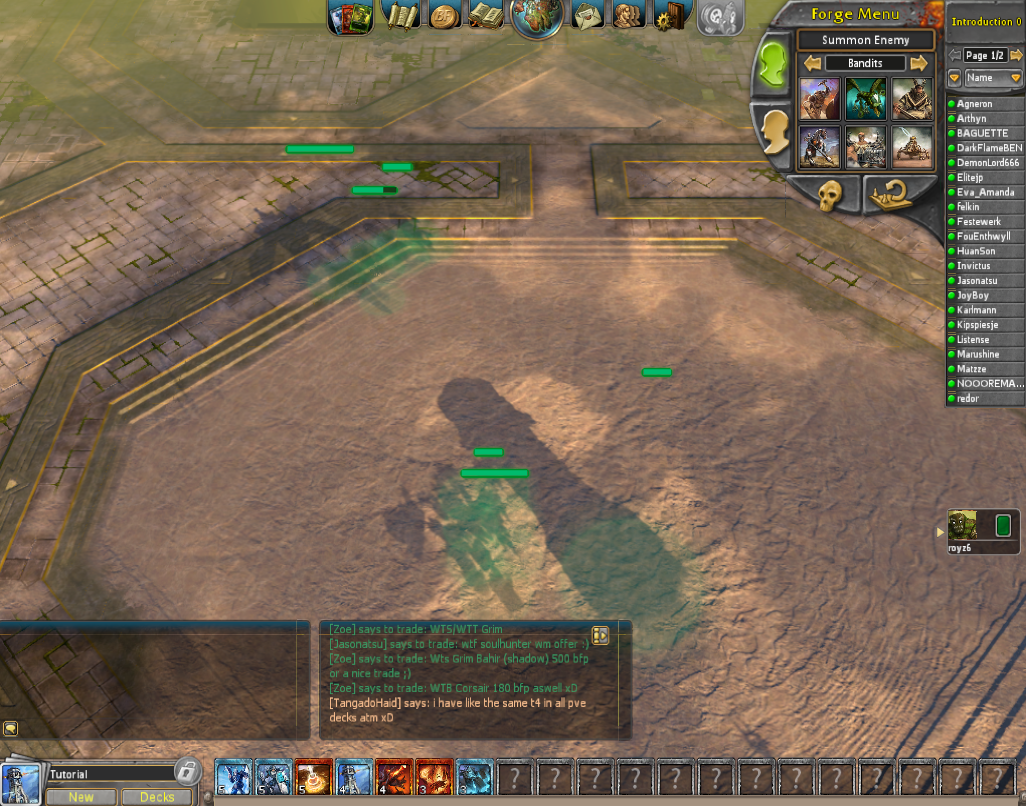
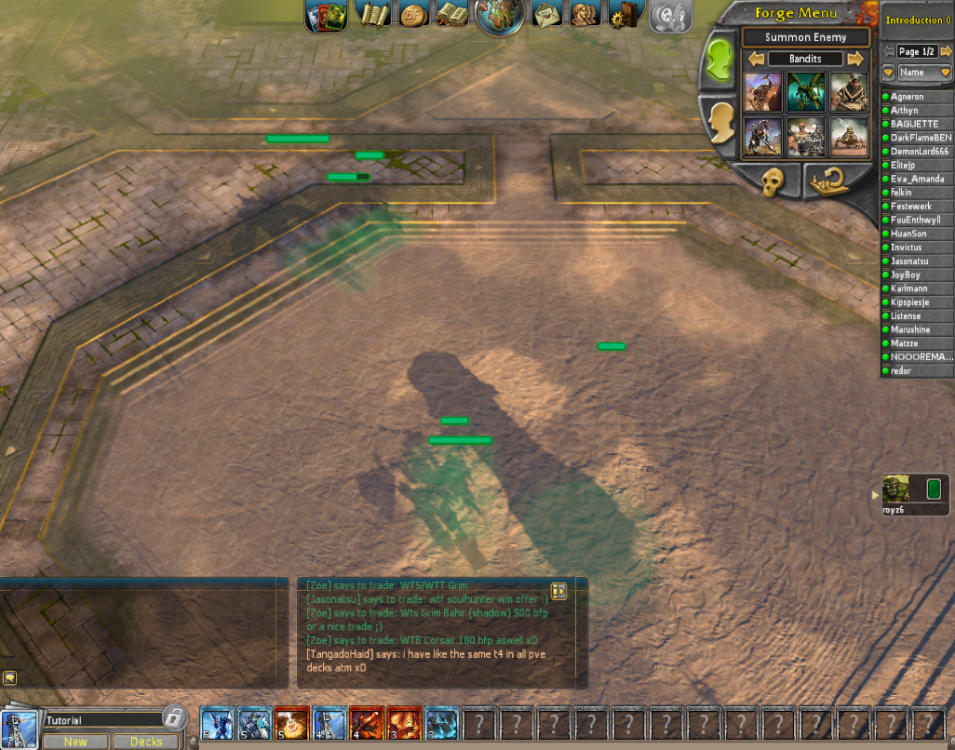
Hi, I just opened the game for the first time and tried to summon some units, and for some reason they were all invisible. As you can see in the picture, I can only see the health bar and like a green shadow of the troops. please fix it, thanks
-
So i own Frostbite and the lvl. 1 upgrade for Frostbite (enough gold aswell). But, when i try to upgrade the card, it says i don't own the upgrade. Reproduced several times I hope this is the right place for this post...
-
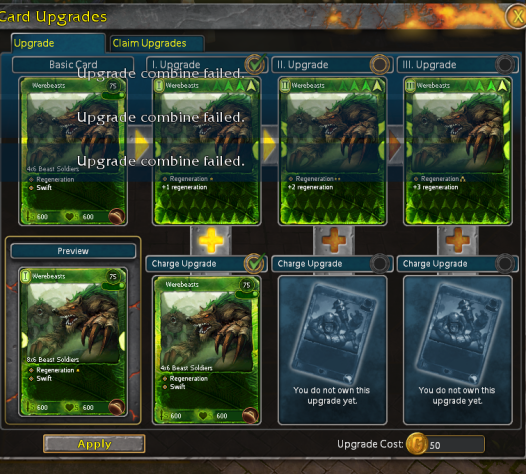
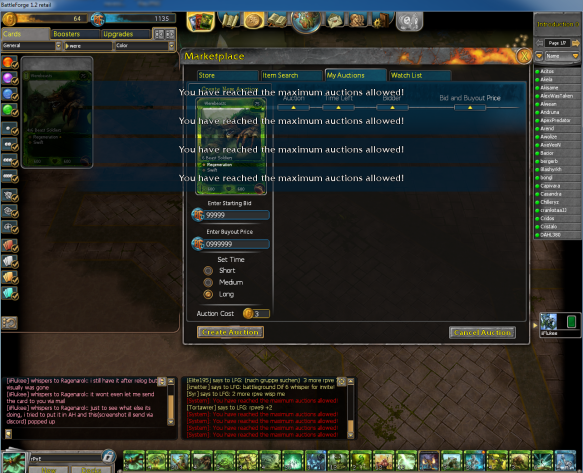
Severity: 1 Location: Collection / Upgrade panel / Trade Additional information: AFFECTS OTHER PLAYERS SEVERELY REPRODUCIBILITY: Have yet to be able to reproduce on a new card. However bug is attached to card and would appreciate card being destroyed / replaced. Description: As I bought a Werebeasts (via direct trade), I was experiencing lag and constant server freezes / server drop-outs. I received the card (my second copy) and the trade was successful. However I was unable to use the second copy of the card to charge my werebeasts in the upgrade panel. and received the "error: Upgrade combine failed" Detailed in attachment I contacted a friend, If I could give him the card and have him give it back to me. As he received the card, It deleted 3 of his charge cards from his werebeast and he lost his upgrades ADDITIONAL INFORMATION: the card in question has the bug attached to it and cannot be placed in the auction house, sent via mail or trade and is stuck in my friend's inventory Friend's In game name is iiFlukee, who can be reached on discord at " iiFlukee#4143 " My in game name is Ragenarok. I can also be reached on discord at " Ragenarok#1599 " I am part of the Discord Moderator team





.png.ef27772a09e63652f1122779d76678b7.png)