
Ceekay
-
Posts
716 -
Joined
-
Last visited






Ceekay's Achievements

Battlemaster (21/34)
1
Reputation
-
Time to revive this thread (it's my favorite) 4/10 an alright one, not exactly my taste and it doesn't help that I don't know the language :p
-
Helped me through expert maps with his amazing mission briefing thread
-
5/10 generally do listen to rock, though here's an example (had to revive this thread, cause music is life)
-
5/10 like the reggae part, though I'm not a hardstyle fan at all. or however you call this been to a couple techno clubs, it really depends on the type.
-
I've been playing some Starcraft 2 here and there, if you want to add me on there send me a PM I also like Civ 5 (haven't gotten civ 6 yet due to poverty :D) but its not an RTS, though its my most played game on Steam.
-
Wish granted but your graphic card sucks so you have to spend extra bucks to play games I wish I was a hippie in the 60s
-
I don't like this version of it, though its a classic 7/10
-
https://www.youtube.com/watch?v=FxgEafWb-lE
-
pretty okay i guess 5/10 https://www.youtube.com/watch?v=Jad8sp1Rfdw
-
pretty ordinary, but pretty okay with the vocals. 6/10
-
kinda repetitive aswell haha but I like the drop so 6/10
-
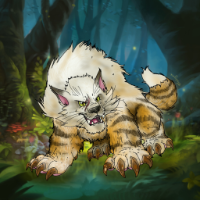
rPvE monster, rips through anything in its way pretty much (except for the shaman guy) ;D
-
AKK! 9/10
-
2019 a hundred years ago, battleforge was released.
-
pretty okay, but a bit boring 6/10