Skip to content

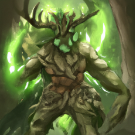
CCC #10 - Ashbone Pyro vs. Magma Hurler - UNTIL 12.03.2023

Featured Replies

Oh wow these times again, well played guys ! Was great fun, thanks for hosting Kapo 🙂


And I wasn´t that bad apparently, top 10 out of the 68 MagmaHurler-runs and Top15 in total. I tried both once because at first my little Ashbones were sad that I didn´t take them in the first place, tho I can´t help and like Magma Hurlers better 😄 That´s why I send my Hurler entry even tho I kinda knew after I tried both once that Ashbones are faster and if I would have done a second run with Ashbones I might have had an even better time than 9.40, because my first Ashbone run was already 10.17 and there I didn´t tryhard ^^ while my first casual run with hurlers was like 10.52. But I wanted Hurlers to win so I did a second and third try there.

  • Author

I just sent out the top rank prizes. 

Thanks again to everyone who took part in this event! 

This concludes all business concerning the Crappy Community Contest #10.

  • Kapo unpinned and unfeatured this topic
  • 3 months later...

A very good solution would be to cross out the codes for boosters that are no longer active - it will definitely help NEW players in looking for some codes to start.
Yesterday I searched for a total of 30 codes, none of which were active (disappointed). A lot of time wasted rewriting them hoping that something will finally come up.

I will be very happy to participate in new events, certainly not for games (I have poor cards) but something creative like making a video / banner / gifs / etc.

Unfortunately, I suspect that most of the players don't even bother with Events related to the Expert games (I suspect that it is generally an Event for only a dozen or so players). It's a bit unfair too 😛

Create an account or sign in to comment

Account

Navigation

Search

Search

Configure browser push notifications

Chrome (Android)
  1. Tap the lock icon next to the address bar.
  2. Tap Permissions → Notifications.
  3. Adjust your preference.
Chrome (Desktop)
  1. Click the padlock icon in the address bar.
  2. Select Site settings.
  3. Find Notifications and adjust your preference.