
Lipto
-
Posts
33 -
Joined
-
Last visited
Lipto's Achievements

Warrior (4/34)
10
Reputation
-
hi everyone , i have looking my video of game, i have a problem to follow the cursor in screen when the game is intense, it's possible to enlarge or add visibility for view all informations when looking video of battleforge best regards thanks
-
 Lipto changed their profile photo
 -
the way for mangohud is hard because i dont know if need to use rivatuner on windows app because battleforge is windows app , and for use mangohud dont know is possible on wine program easiest
-
hi Metagross31, thanks for reply hi everyone, hardware: intel 13100 and rx6700xt or rtx4060 software : debian 12 , wine 10.0 , winetricks 20230212 procedure: install debian 12 cinnamon and usuel software connect as root for make you sudoers create file in /etc/sudoers.d add this line in this file: mynameofuser ALL=(ALL:ALL) ALL go to software & updates and add two case (contrib & nonfree) $ reboot connect at user download client "Battleforge.7z" and extract in user folder. (~/BattleForge) $ sudo dpkg --add-architecture i386 $ sudo apt-get install mangohud $ sudo apt update $ sudo apt-get install mangohud:i386 $ sudo apt-get install gnupg2 software-properties-common $ wget -nc https://dl.winehq.org/wine-builds/winehq.key $ gpg --no-default-keyring --keyring ./temp-keyring.gpg --import winehq.key $ gpg --no-default-keyring --keyring ./temp-keyring.gpg --export > ./winehq.gpg $ sudo mv ./winehq.gpg /etc/apt/trusted.gpg.d/ $ sudo apt update $ sudo add-apt-repository 'deb https://dl.winehq.org/wine-builds/debian/ bookworm main' $ sudo apt update $ sudo apt-get install winbind $ sudo apt-get install winehq-stable winetricks $ sudo apt update $ cd BattleForge $ winetricks (install mono , create new prefix with arch32 and name "32" in menu of winetricks) (in prefix 32 add dll or component dotnet40,45,46,461,48 dxvk ) $ winetricks dxvk $ winetricks vcrun2010 vcrun2012 vcrun2013 vcrun2015 $ winetricks vkd3d $ WINEPREFIX=~/.local/share/wineprefixes/up wine SkylordsRebornUpdater.exe (up to date and close launcher) press enter for obtain $ (because error of stub) $ sudo rm -R ~/.wine $ winecfg (choose win xp and click ok) $ wine SkylordsRebornUpdater.exe function with rx6700xt not function with rtx4060 without driver $ su - $ apt-get install nvidia-detect $ nvidia-detect $ apt-get install "the package displayed before" $ reboot this way work !!!!!! $ cd BattleForge $ wine SkylordsRebornUpdater.exe
-
new day new try and its good only one time
-
hi everyone, i have retry with other hardware now intel 13100 and rtx 4060 debian 12 , wine 10.0 , winetricks 20230212 i have good version Metagross31
-
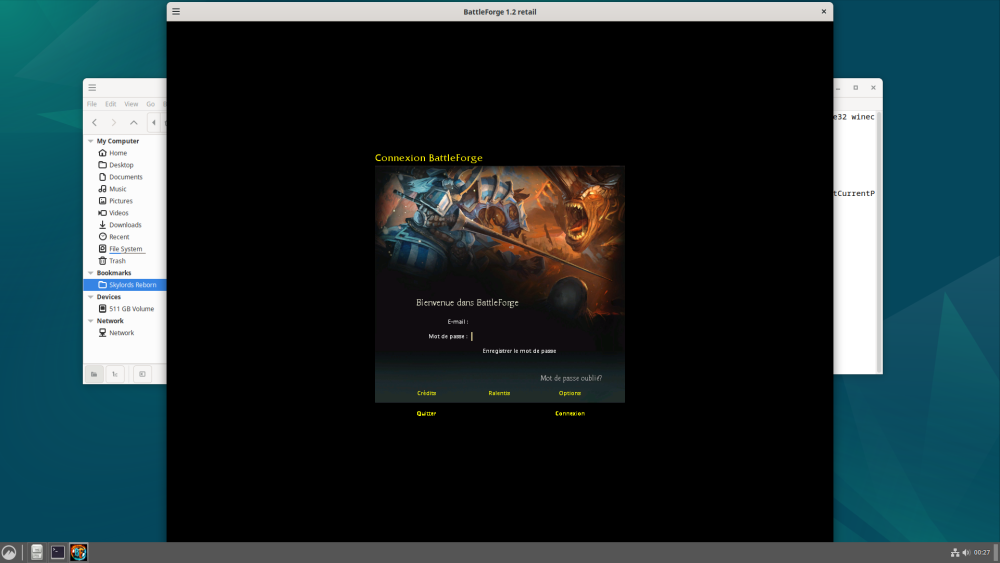
hi mx2 , thanks for reply hi everyone , (my hardware intel 13100 rx 6700 xt, default drivers) i have follow all the topic and try and try again after reinstall debian 12 and wine, and dot net. the game run but is not normaly , its is a little bug but i don't know how to fix and how to search solution i have view this bug anything in a web for other application but its from the past and i don't remember. any help is apreciate
-
hi skylords , i have try the game on debian 12, im so beginner with linux/GNU and wine , can you explain me how do a PREFIX for wine , and additionly i try to install mangohud after wine , and is installing in wine directory, but is a linux software , when 18 october comming the windows 10 support become paying maybe lot of gamer need to play on linux , its great to view you are good computer scientist see you in forge , bye
-
it's a new install on new operating system ? do you have play before ?
-
when install audio drivers from site asus , game disfunction
Lipto replied to Lipto's topic in Technical Support
i have try to not change any output in sound panel and this one dont bug i continue to investiging edit ( if is a bug from panel sound choice , is a windows bug ?) -
when install audio drivers from site asus , game disfunction
Lipto replied to Lipto's topic in Technical Support
hi everyone , i have install this day, a pci express sound card , asus xonar se , on my pc and the disfunction come back , im disapointed because usb microphone is so bad (i have return one on amazon , it cost 18 € ) , i like jack microphone . my configurations , psu corsair HX1200 motherboard asus z690 a gaming wifi d4 cpu 12700k gpu 3080ti fe watercooling custom pcie sound card asus xonar se -
is typically bug from sounds panel switching output device , if you boot pc and dont change sound output is good i think (i have same problem maybe view my topic) try this maybe not same problem if you are never game finish
-
hi , everyone , merry chrismas , just post for say my issue with motherboard asus and hardware , in base is audio jack but is emulated to usb in hardware and software , i dont know exactely what made asus , is a Z690 a gaming wifi D4 and another motherboard, B760 prime plus D4, same issue from asus too. if i install the drivers audio from asus support , i have my microphone jack obtain the boost setting identical to old motherborad , two level for microphone setting. but if i install this i have a crash and freeze when im playing skylord reborn . i dont need solutions , i was bought new usb microphone and not install drivers from support asus is good. but i have see another guys having same problem of freeze , i just want helpfully. sorry for my english im a french player have a nice day
-
hello , i have this error too ? the update is over ?
-
ok thanks for reply .
-
hi guy , im looking for regive on patreon page but , i cant view any solutions to donate sorry for my english im french have a nice day !