Search the Community
Showing results for tags 'updater'.
Found 4 results
-
After redownloading and reinstalling the game while antivirus and firewall were turned off the updater tries to get trough "checking" and closes after 20 seconds of this. I hae tried the steps as indicated in the already given guide on the forum. Thought i found the crash log bit the times don't match my actual system time. Could someone please assist with this issue? If it has already been solved for someone else i can't find the thread to solve this. Kind regards, Daniël
-
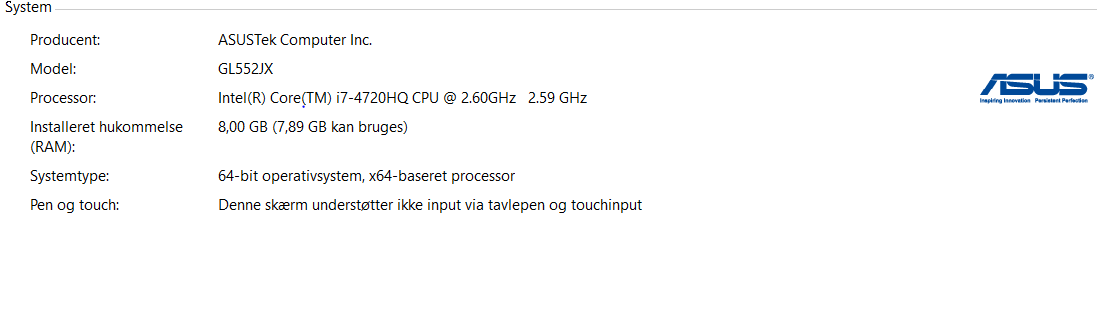
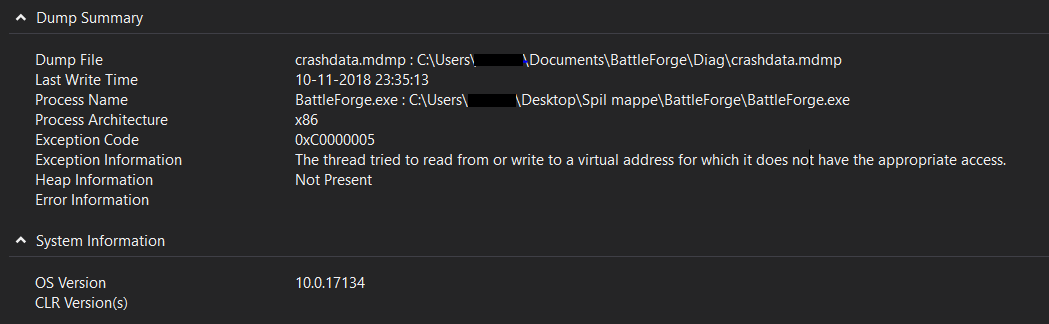
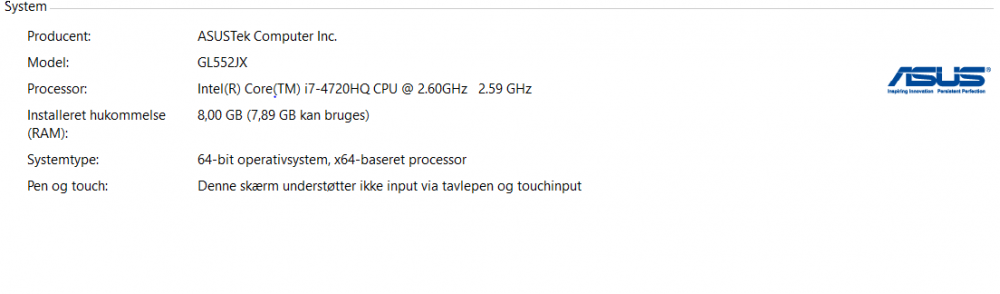
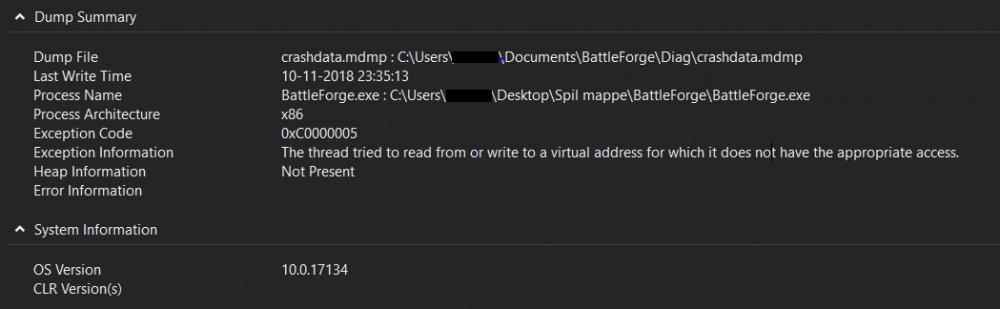
Prologue: I have an issue and I would be very happy if someone could help me solve it. Chapter 1: The Problem I have a problem, nothing happens when I try to start the game from the launcher. When I try to run it, the launcher closes and I get a small ping, nothing else. Chapter 2: Steps Taken I have tried a lot of different solutions: 1. I have tried to shut off my antivirus. 2. I have reinstalled the entire thing. 3. I have updated my drivers. 4. I have tried copying the folder from another computer where it worked. 5. I have tried looking for similar issues on the forums but to no avail. Chapter 3: My Specs Chapter 4: Exception I went to my documents and found the log and the crashdump file, this is what I've got: Log: [INFO][Direct3D 9]: Start Scan [INFO][Direct3D 9]: Found Adapter: NVIDIA GeForce GTX 950M [INFO][Direct3D 9]: Support Hardware vertex processing [INFO][Direct3D 9]: Support SM 3.0 [INFO][Direct3D 9]: End Scan [INFO][Direct3D 11]: Start DXGI scan. [INFO][Direct3D 11]: Found Adapter: NVIDIA GeForce GTX 950M [INFO][Direct3D 11]: Supports Techlevel 11.0 [INFO][Direct3D 11]: End DXGI scan. [INFO][app]: BattleForge Final Build: 397096 (Retail branch) [INFO][app]: CPU GenuineIntel family 6 (P2, P3, Pentium-M, Athlon) detected. [INFO][app]: CPU clock speed is ~2593 MHz. [INFO][app]: CPU has 8 cores. [INFO][app]: CPU rating is 16 points. [INFO][app]: GFX rating is 16 points. [ERROR][BASE]: Unhandled exception error. Crash dump written. [ERROR][BASE]:
-
After trying to play a pve match and getting disconnected I tried relogging and the game said it needed to update because my client version is outdated. It force closed after that but when i launched the updater it only 1/1 checked my files and didn't update at all. The message telling me that my client is outdated still pops up when I attempt to login and keeps closing the game. Are the servers already updated but the clients aren't, or is there something else wrong here? Please help, I wanna get my daily boosters The exact error line is "Game Data Check Failed."
-
 Hello! I have the following problem - After I unpacked the game and copied the updater with both my firewall and antivirus off, I launched SkylordsRebornUpdater.exe. After it finished, I clicked play. Instead of launching, Battleforge.exe launches as a background task in the task manager for 2-3 seconds and then closes itself. The game doesnt start at all and no visual screen comes up at any point. I tried all of the methods that were described in the troubleshooting guide. I am running Windows 10 x64 bit, GTX 860m, 16gb of ram, latest GeForce drivers (as of 14-sept-2018). I ran everything as admin and tried in compatibility mode. Also tried deleting the Battleforge folder in Documents, as well as disabling the readonly flag for it. Both antivirus and firewall are disabled during the whole process. Help will be much appreciated, I tried everything. All of the signs point to either a block by the antivirus or the firewall, but I can confirm that that is not the case. I assume regular updates of the game are rolling out, so this issue persists today aswell, 14 sept. Thanks in advance, Skylords! Konstantin