Search the Community
Showing results for tags 'QoL'.
Found 4 results
-
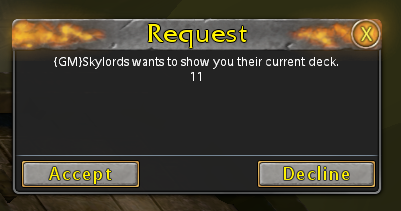
 Maybe some or all confirmation boxes could have their "Yes" option auto-selected to confirm with "Enter": buying boosters deleting decks rerolling quests cancelling auction etc. (?) Generally all pop-ups / request-windows could be adjusted. party invitation trade request etc. Other non-confirmation boxes which could use this feature: `Register` > Marketplace - Store claim scratch ID `Done` > Marketplace - Store closing booster content `Flip all cards` > Open Booster flipping cards on booster opening `Create Auction` > Marketplace - My Auctions creating an auction `Reforge` > Card Reforging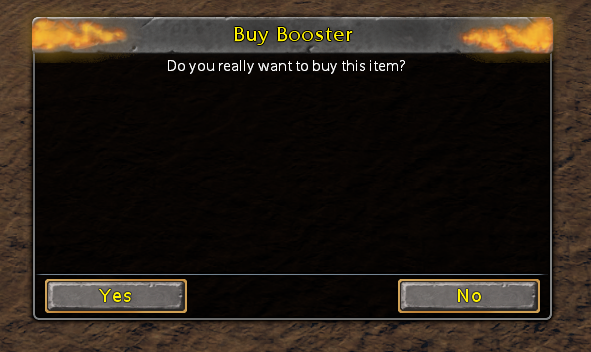
-
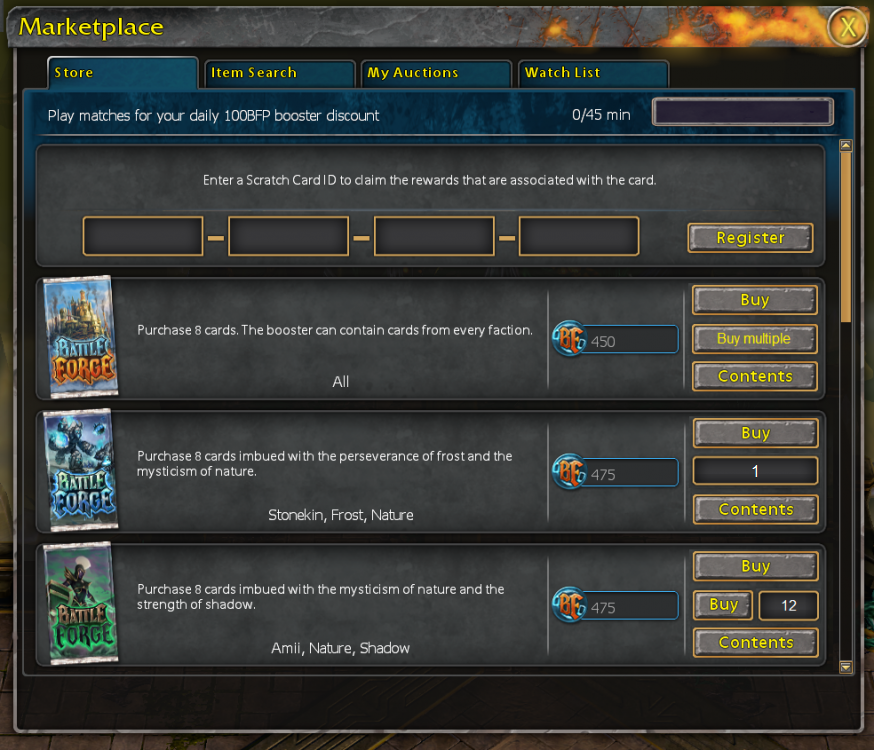
An additional option to buy multiple booster packs with far fewer clicks. edit#1: Could be a bit challenging with the daily booster discount... Some possible UI-mockups:
-
 Can I request you patch the patcher so that the Play button is focused and you can just press Enter to play? Currently, pressing enter will do nothing, pressing tab once focuses the close button... You have to tab 7 times to get to Play. Or shift+tab 3 times.
 -
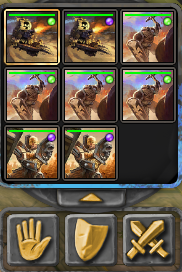
I'd love to see the feature to deselect certain units and/or units of the same type from ones active selection via the UI below. In case you did not know, this is already possible via the units themselfs: Use <SHIFT + leftclick> to deselect a specific unit and use <SHIFT + CTRL/STRG + leftclick> to deselect all units of a kind. Furthermore: If possible let the UI dynamicly expand or at least increas the default to a 3 by 4 grid to increase the units shown from 9 to 12.