Search the Community
Showing results for tags 'bug?'.
Found 4 results
-
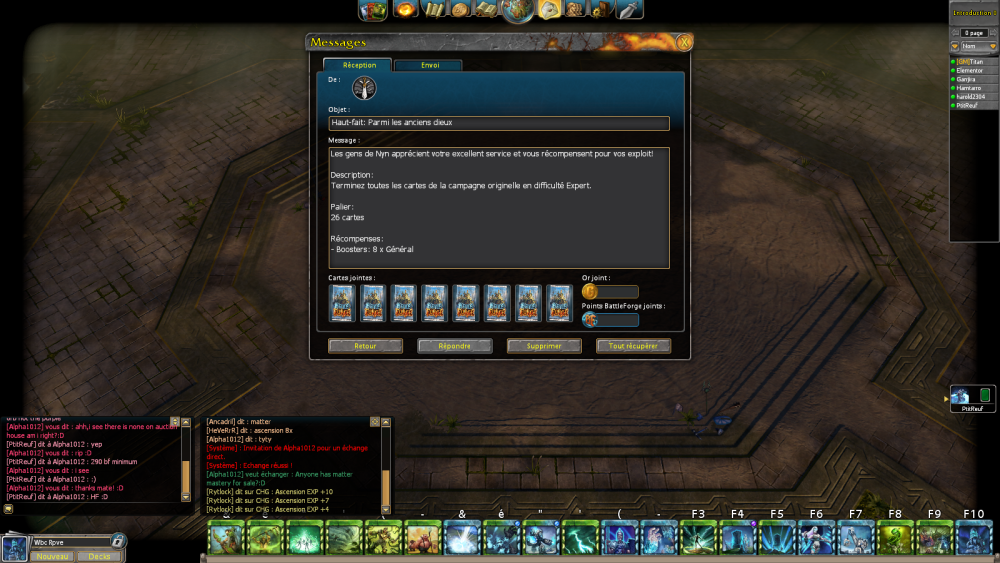
Hello Skylord Team, Hope you doing all good 🙂 I connected today to see exactly my achievement unlocked without beating everymap on expert, normally i still need 2 map to complete wich should be into the jungle and the giants, i know there was a bug for the christmas event since 2025, maybe it is related in some way? Anyway if you could just uncheck it for me so i could play the map normally to gain these 8 boosters 😄
- 2 replies
-
- challenges
- challenge
- Achivement
- Achievement
-
Tagged with:
-
Greetings, I'm having an issue with my battleforge where I can play the game normaly on windowed mode at my screen resolution, but anytime I switch to fullscreen and restart the game, the login screen is completely frozen (although it still works because I can hear the music and the click on options button...). I tried messing around with the config.xml file as suggested on another thread but any changes I make there never apply to the game. The only way I solved the problem the 1st time was by deleting all the files in C:\Users\(...)\Battleforge. This would re-enable the "detect settings" and reset to windowed mode, that works properly without issues, except the fact that its windowed. Any way to fix this problem? I really hate playing on windowed.....
-
-
Hey, there are still some issues with the group system: -If you stay in a group after completing a game you are unable to join/host another game before you leave the group. -If you host a custom map and invite somebody into a group, the game crashes for him if he does not have the map (joining via lobbybrowser works fine and triggers the download). -The more players are in a group and the longer a group is open before hosting a game the more likely a game will not start or crash (this decresed significantly over the time of the stresstest). Greetings, DasToggy